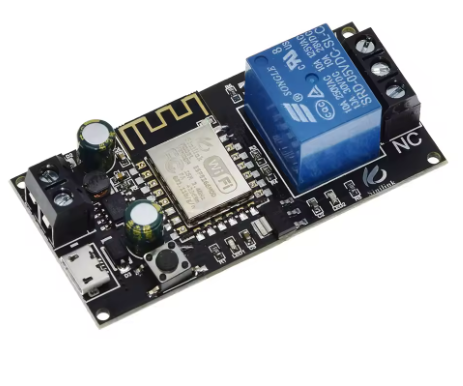
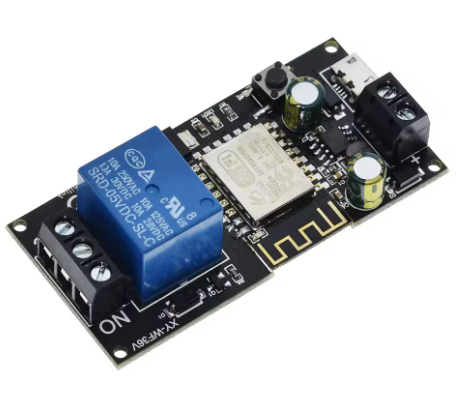
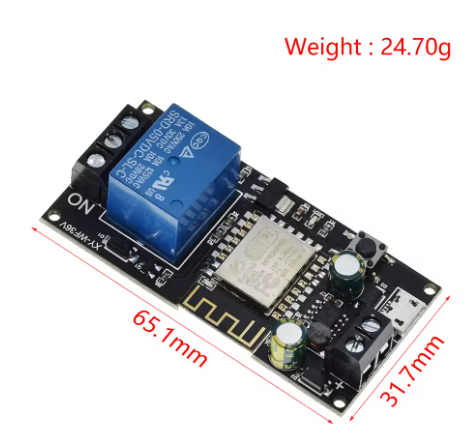
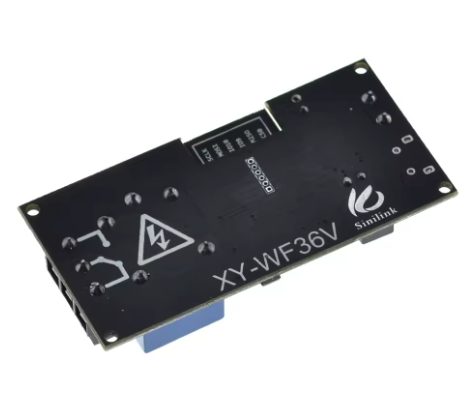
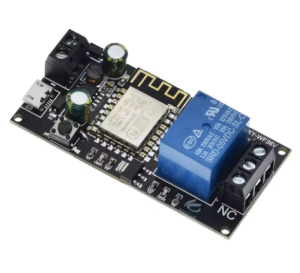
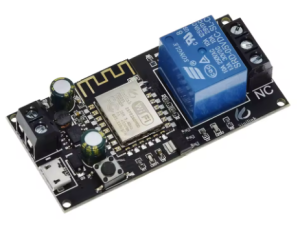
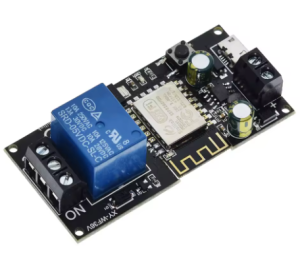
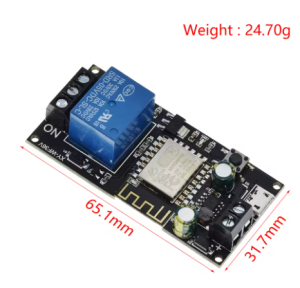
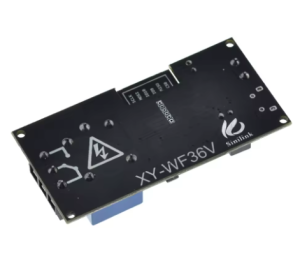
Sinilink WIFI mobile phone remote control relay module DC6-36V support voice

SKU: FA2181-1
WiFi Module

ESP-12F

Working Voltage

DC 6V – 36V (Micro USB 5V option)

Load Voltage

AC 0-250V / DC 0-30V

Load Current

10A maximum

WiFi Standard

2.4GHz b/g/n (5GHz not supported

Relay Type

Single Pole Double Throw (SPDT)

Standby Power

Approx. 0.5W (5V/100mA)

Operating Temperature

-20°C to +60°C

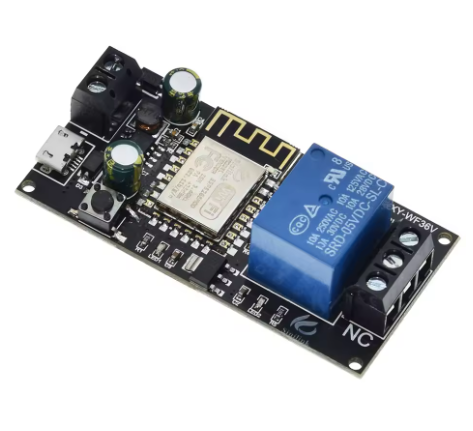
The Sinilink WiFi Mobile Phone Remote Control Relay Module is a compact, ready-to-use smart switch designed to add wireless control to home appliances and electrical devices. It combines the popular ESP-12F WiFi module with a high-current relay and supports voice control through Tmall Genie and Xiaodu voice assistants, making it a practical entry point for home automation .

The module operates from a wide DC 6V to 36V supply and can also be powered via Micro USB 5V for added convenience . It features a 10A relay output capable of switching AC 250V or DC 30V loads . This means it can directly control lamps, fans, motors, and other household appliances. The relay provides Normally Open (NO), Normally Closed (NC), and Common (COM) contacts for flexible wiring configurations .

Setup is handled through the Sinilink mobile app, available for both iOS and Android . The module supports 2.4GHz WiFi (5GHz is not supported) and enters pairing mode by default when powered on . The onboard button allows manual relay control (short press) and initiates pairing mode when held for more than 5 seconds .

The module supports multiple operating modes, including self-locking (toggle), inching (momentary), and interlock modes, configurable through the app . It also offers timing functions including countdown timers, scheduled on/off, and loop timing for recurring tasks . Device sharing allows multiple users to control the same module .

The module supports remote firmware upgrades, ensuring it stays current with the latest features . The standby power consumption is approximately 0.5W (5V/100mA), making it suitable for always-on applications .

Whether you are a homeowner automating lighting, a maker building a smart home system, or a business purchasing in bulk for product development, the Sinilink WiFi Relay Module offers a reliable, cost-effective foundation. It is suitable for individual users, students, and businesses alike.


Features

  • ESP-12F WiFi module — Reliable 2.4GHz wireless connectivity

  • Voice control support — Compatible with Tmall Genie and Xiaodu voice assistants

  • 10A relay output — Switches AC 250V / DC 30V loads

  • Wide input voltage — DC 6V to 36V, plus Micro USB 5V power option

  • Sinilink app control — iOS and Android mobile app for remote switching

  • Multiple operating modes — Self-locking, inching, and interlock modes configurable via app

  • Timing functions — Countdown, scheduled on/off, and loop timing

  • Device sharing — Multiple users can control the same module

  • Remote firmware upgrade — Keeps the module up to date

  • Manual button control — Onboard button for local switching and pairing


Technical Specifications 

# Parameter Specification
1 WiFi Module ESP-12F
2 Working Voltage DC 6V – 36V (Micro USB 5V option)
3 Load Voltage AC 0-250V / DC 0-30V
4 Load Current 10A maximum
5 WiFi Standard 2.4GHz b/g/n (5GHz not supported)
6 Relay Type Single Pole Double Throw (SPDT)
7 Standby Power Approx. 0.5W (5V/100mA)
8 Operating Temperature -20°C to +60°C

Usage

Getting Started

  1. Download the app — Install the Sinilink app from the App Store (iOS) or Google Play (Android) .

  2. Power the module — Connect a DC 6V–36V supply to the input terminals, or use Micro USB 5V. The module enters Touch pairing mode by default .

  3. Connect to WiFi — Ensure your phone is connected to a 2.4GHz WiFi network. The module does not support 5GHz .

  4. Pair the device — Open the Sinilink app, add a new device, and enter your WiFi credentials. The app will discover the module .

  5. Connect the load — Wire your appliance to the relay‘s NO/NC/COM terminals .

  6. Control and configure — Use the app to toggle the relay, set timers, change operating modes, and share control with other users .

Pairing Mode Indicators

Mode LED Behavior
Touch Mode Blue light flashes 3 times, pauses, repeats
AP Mode Blue light flashes continuously

Typical Applications

  • Smart home lighting — Remote control of lamps and ceiling lights

  • Appliance switching — Turn on/off fans, heaters, and other devices

  • Motor and fan control — Remote activation of small motors

  • Access control systems — Control electric locks and gates

  • Timing automation — Schedule devices to turn on/off automatically

  • Voice-controlled projects — Integrate with voice assistants for hands-free control

Q: What is the Sinilink WiFi Relay Module used for?

It is a smart switch for remote control of home appliances through the Sinilink mobile app. It supports voice control, timing functions, and multiple operating modes .

Q: What voltage does the module require?

The standard version operates from DC 6V to 36V. It can also be powered via Micro USB 5V .

Q: Does the module support 5GHz WiFi?

No. The module only supports 2.4GHz WiFi. If your router uses a combined 2.4G/5G network, you may need to separate them in your router settings .

Q: How do I pair the module with my phone?

Download the Sinilink app, connect your phone to a 2.4GHz WiFi network, power on the module, and follow the app’s instructions to add a new device .

Q: What is the difference between self-locking and inching mode?

Self-locking: the relay stays on or off after each command. Inching: the relay activates for a set duration then automatically turns off .

Q: Does the module support voice control?

Yes. It supports Tmall Genie and Xiaodu voice assistants .

Q: Can I control AC appliances with this module?

Yes, if the relay is rated for AC voltage. The relay contacts can switch loads up to AC 250V / 10A. Ensure proper safety precautions when working with mains voltage .

Q: Does the module have a manual button?

Yes. The onboard button allows manual relay control. Holding it for more than 5 seconds initiates pairing mode .

Q: What is the standby power consumption?

The standby power consumption is approximately 0.5W (5V/100mA) .

Q: Can I purchase in bulk for a school or company?

Yes. This module is suitable for both individual users and business purchasing, including smart home integrators, product developers, and educational institutions.