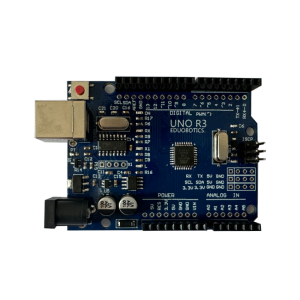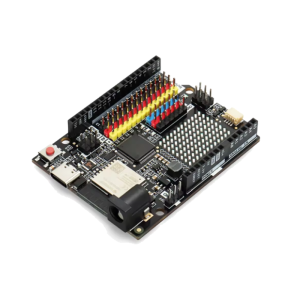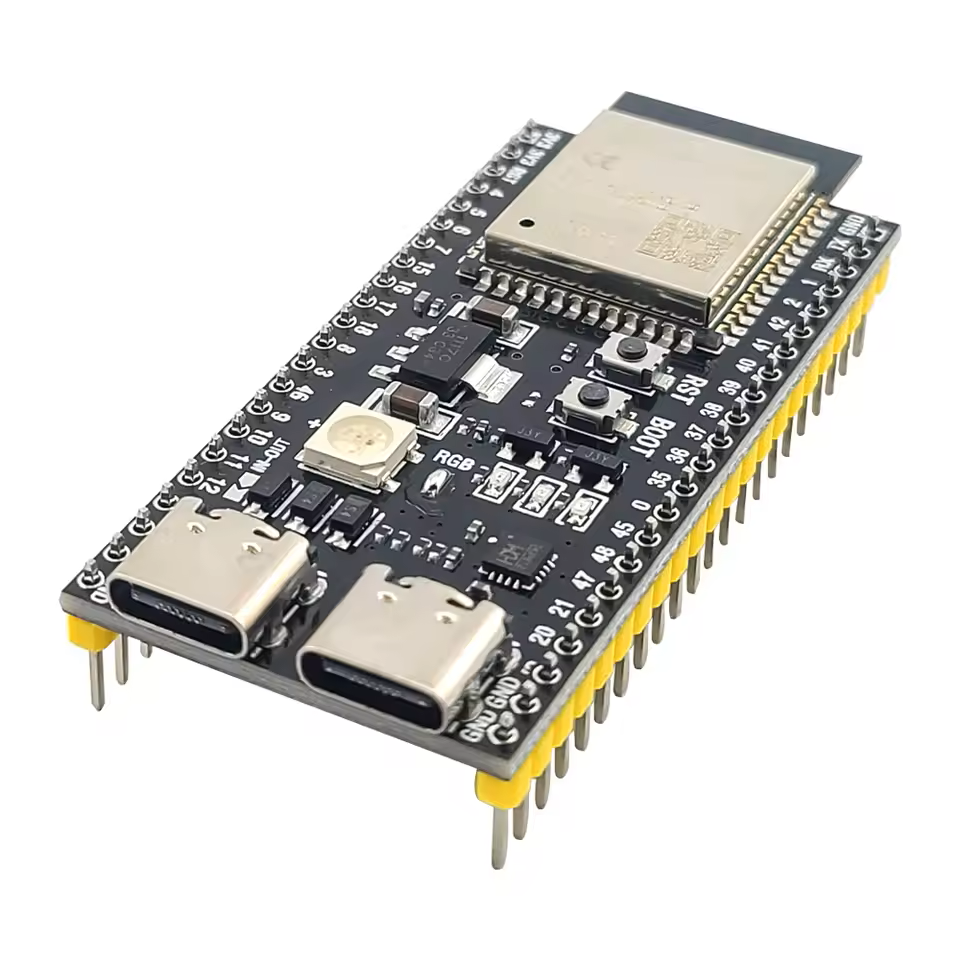
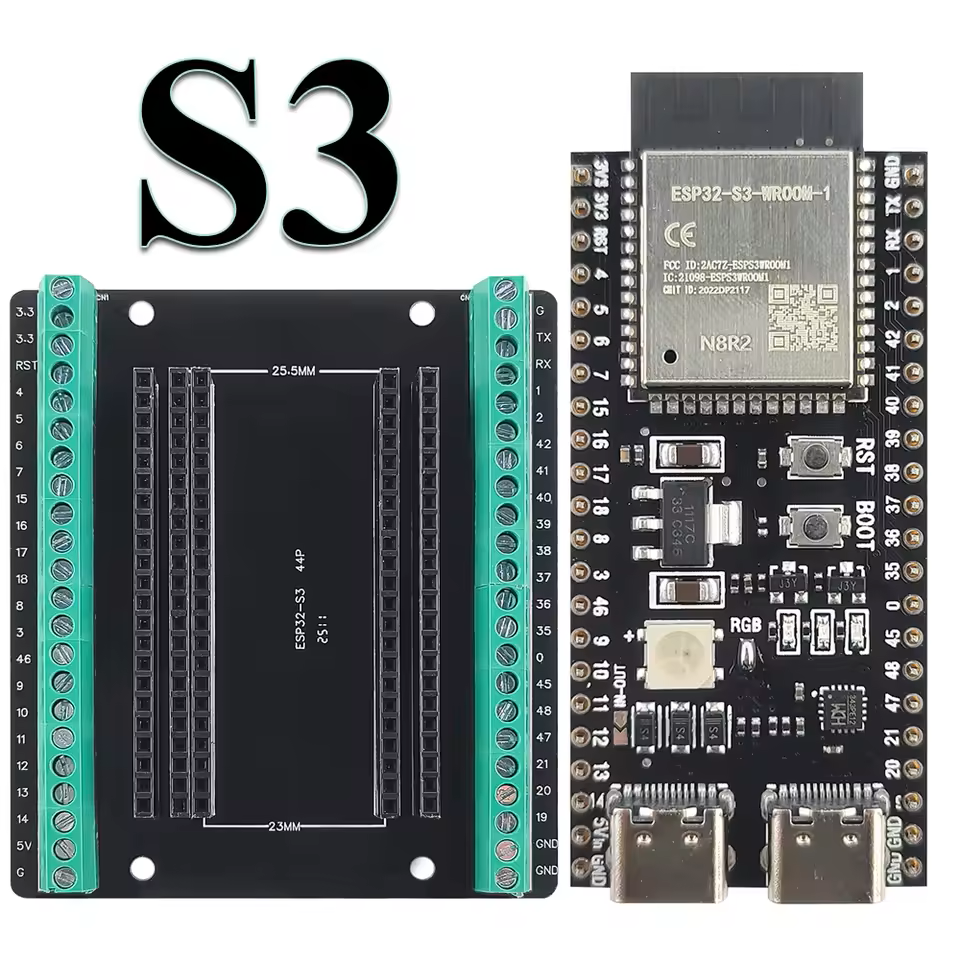
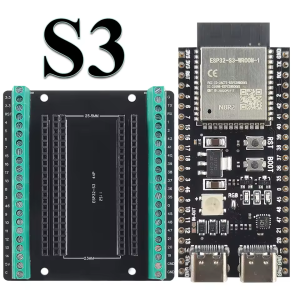
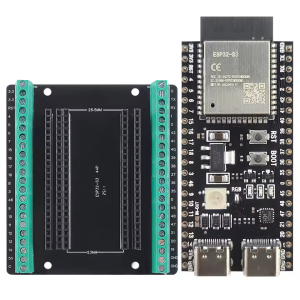
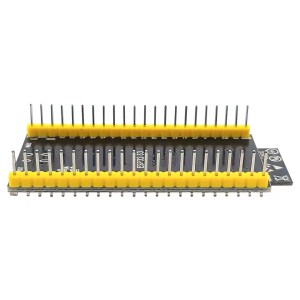
ESP32-S3-N8R2 development board 42pins with 2×Type-C interface (Welded)

Module

ESP32-S3-WROOM-1 (N8R2)

Processor

Dual-core 32-bit Xtensa LX7, up to 240MHz

Storage Configuration

8MB Flash / 2MB PSRAM

Wireless Connectivity

Wi-Fi 802.11 b/g/n + Bluetooth 5 (LE/Mesh)

USB Interfaces

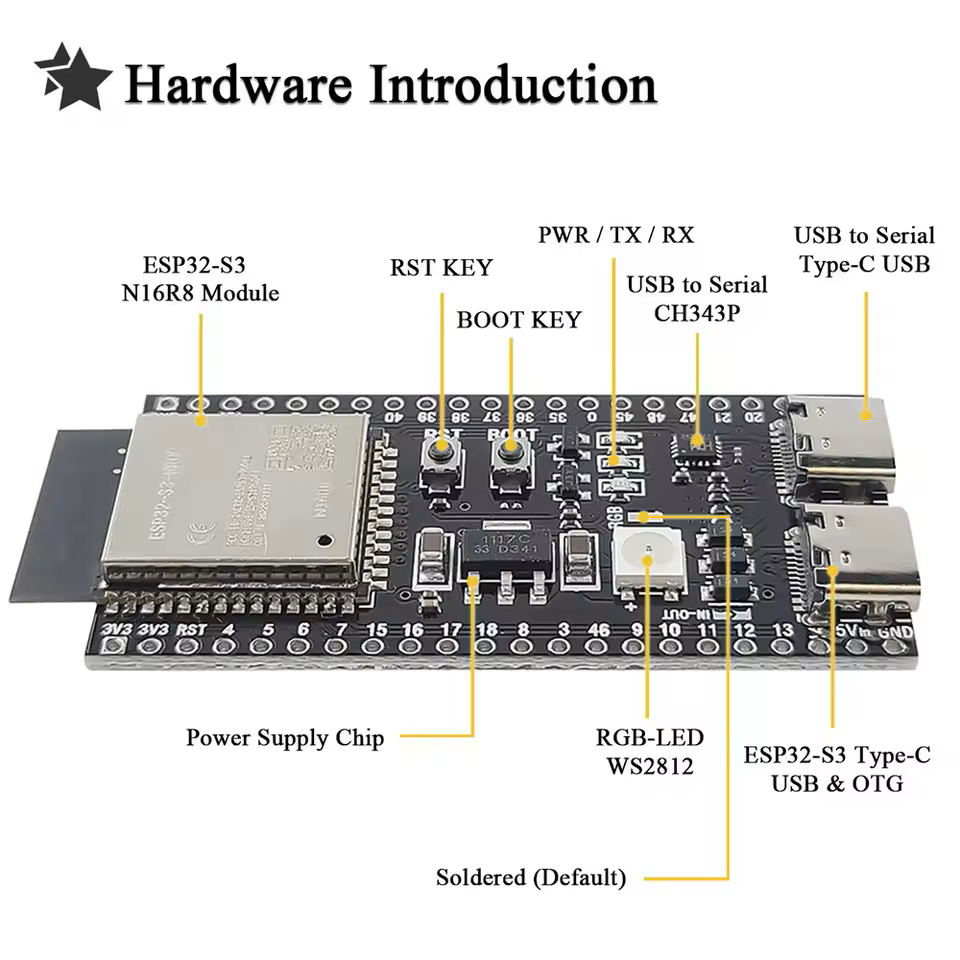
2× Type-C (UART programming port + native USB OTG port)

Pin Count

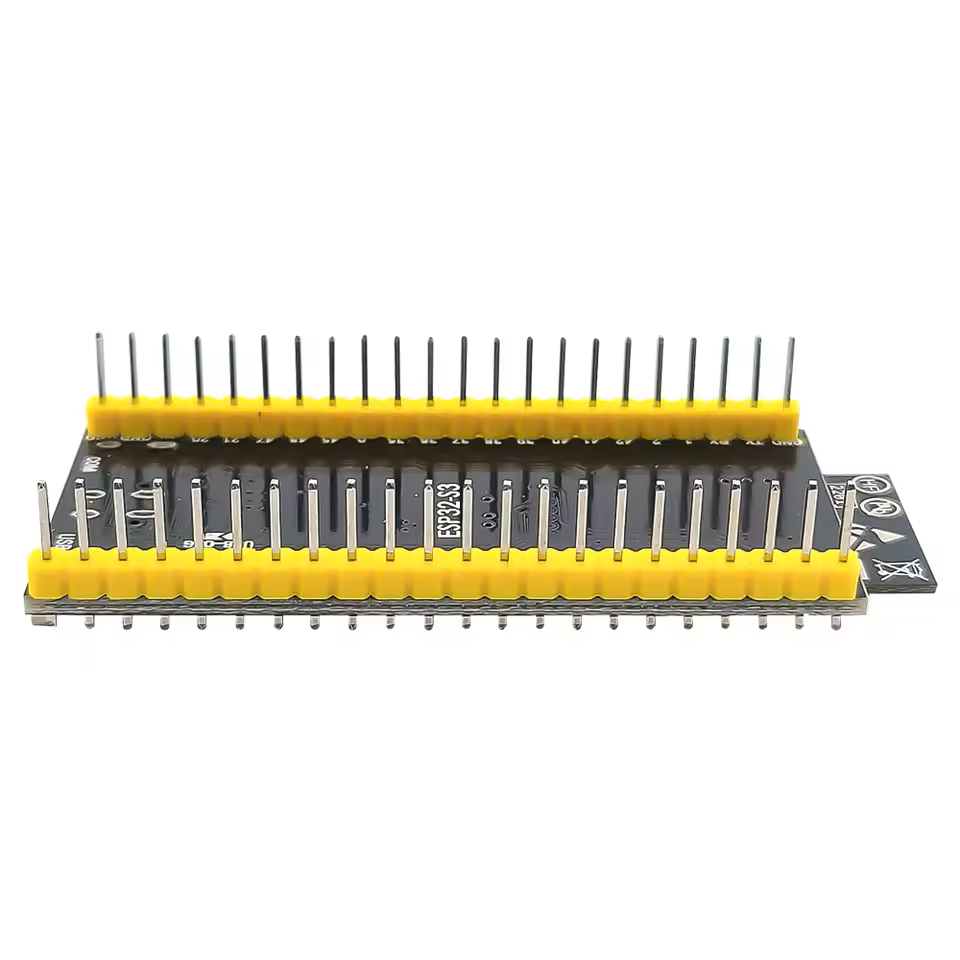
42-pin headers (breadboard compatible)

Operating Voltage

3.3V logic; 5V power input

Hardware Acceleration

AES, SHA, RSA, ECC, RNG, neural network instructions

The ESP32-S3-N8R2 Development Board is a versatile, high-performance platform designed for IoT development, wireless communication, and embedded prototyping. Built around the ESP32-S3-WROOM-1 module, it combines a dual-core Xtensa LX7 32-bit processor running at up to 240MHz with 8MB Flash and 2MB PSRAM, delivering a balanced configuration suitable for a wide range of connected applications.

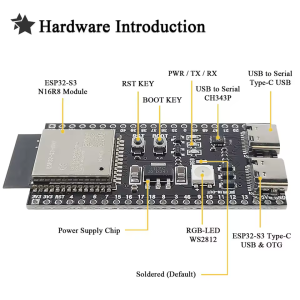
This board features a dual Type-C interface design. One port provides a stable UART programming and serial debugging channel through an on-board USB-to-serial chip (CH340 or CP2102, depending on batch), making it the recommended interface for daily development and flashing. The other port connects directly to the ESP32-S3’s native USB (GPIO19/20), supporting USB OTG functionality — it can emulate HID devices (keyboard, mouse), MIDI devices, or mass storage devices. This separated design allows developers to flash firmware and debug device functions simultaneously without interference.

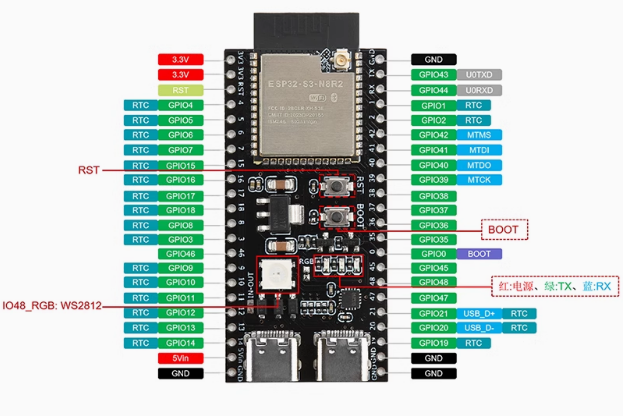
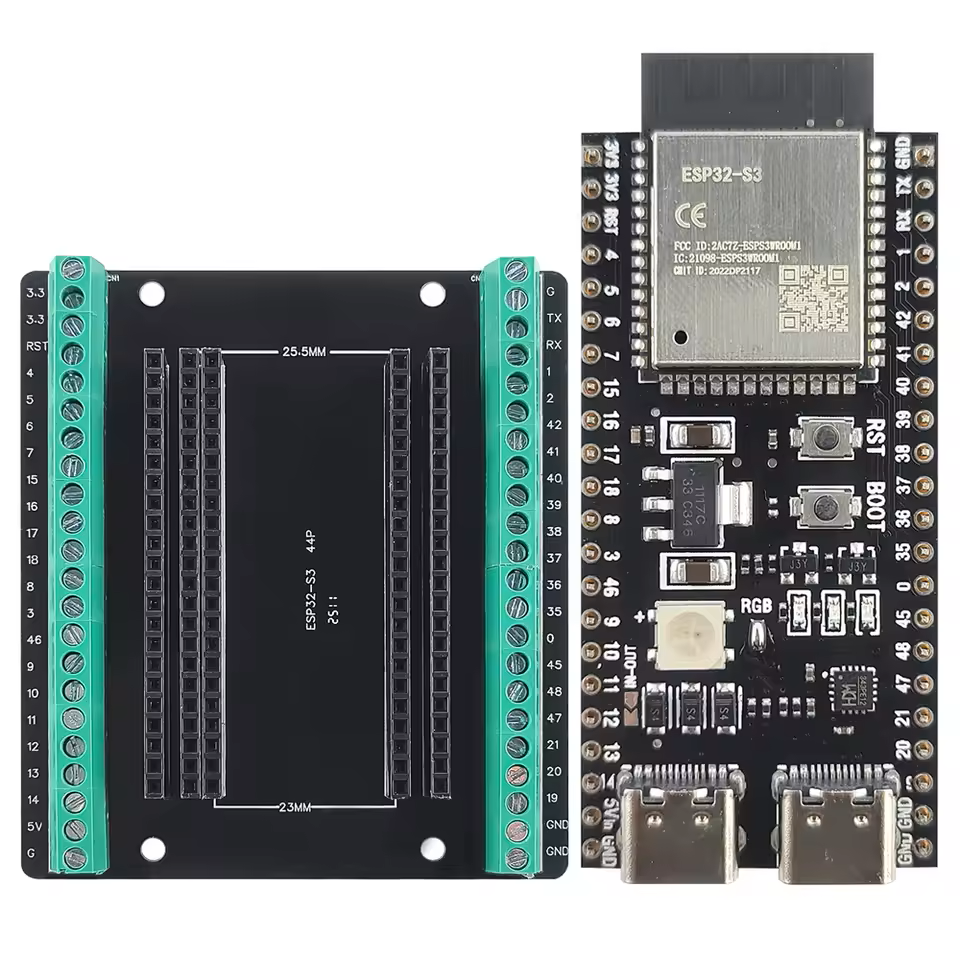
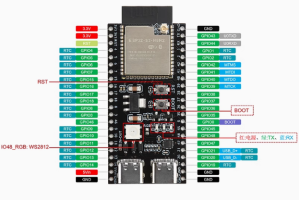
The 42-pin expansion layout is a key advantage of this model. Compared to the standard 38-pin DevKitC design, it exposes additional JTAG debugging pins and extra usable GPIOs, offering greater flexibility for complex multi-sensor integration and hardware debugging. An on-board WS2812 RGB LED (typically driven by GPIO48) can be used as a status indicator or for visual effects without any additional wiring.

For wireless connectivity, the ESP32-S3 integrates 2.4GHz Wi-Fi (802.11 b/g/n) and Bluetooth 5 (LE), supporting Mesh networking and long-range coded PHY transmission — suitable for smart home gateways, industrial sensor nodes, and wearable devices. The 8MB Flash provides ample space for firmware and OTA updates, while the 2MB PSRAM supports data buffering and moderate memory-intensive tasks.

On the software side, the board fully supports Arduino IDE, ESP-IDF, and MicroPython development, with extensive community resources and libraries for rapid prototyping and productization.


Features

  • ESP32-S3-WROOM-1 module — dual-core Xtensa LX7 processor, up to 240MHz

  • Dual Type-C interfaces — one for UART programming/debugging, one for native USB OTG

  • N8R2 storage configuration — 8MB Flash + 2MB PSRAM, balanced for most IoT and embedded projects

  • 42-pin expansion layout — more JTAG and extra GPIOs than the standard 38-pin design, ideal for complex projects

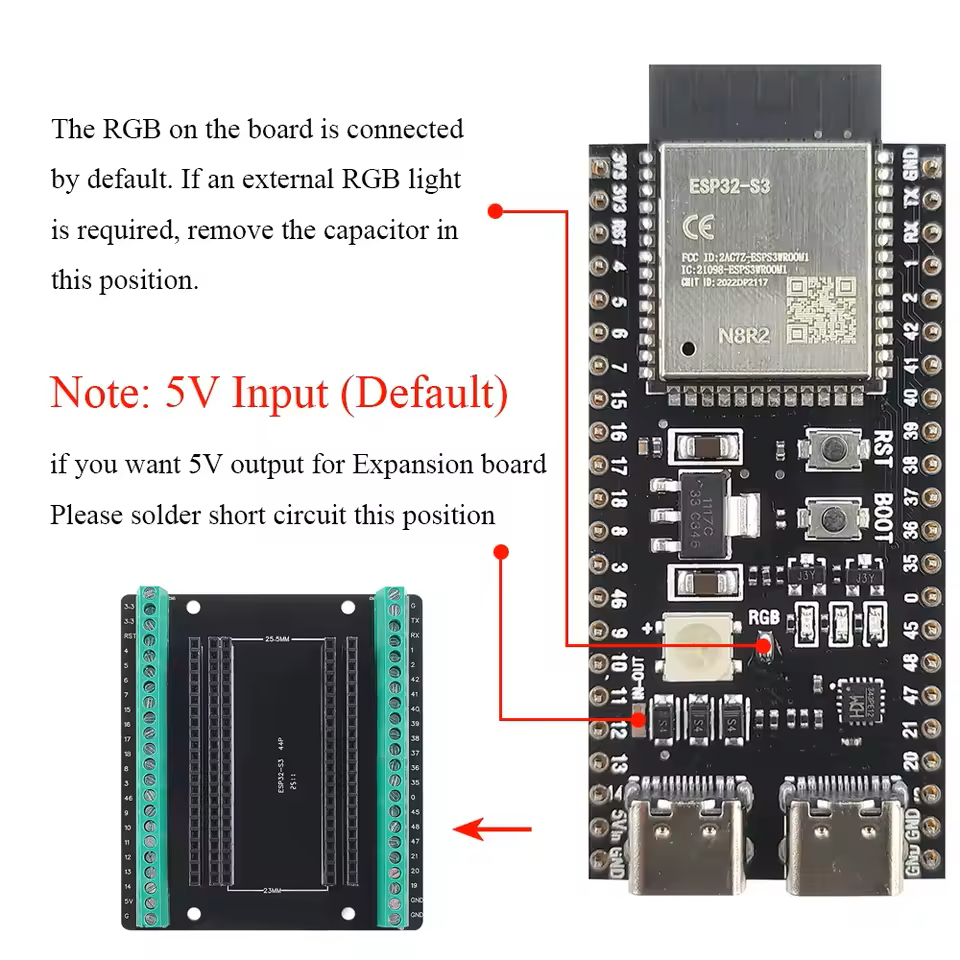
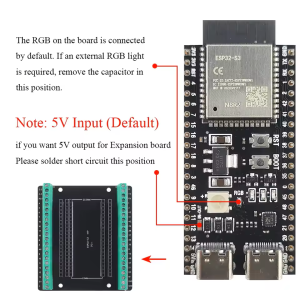
  • On-board WS2812 RGB LED — programmable status indication without external components

  • USB OTG support — can emulate HID, MIDI, UVC, and other USB devices

  • AI acceleration instruction set — Xtensa LX7 includes vector instructions to accelerate neural network inference

  • Broad development environment support — compatible with Arduino IDE, ESP-IDF, and MicroPython


Technical Specifications 

# Parameter Specification
1 Module ESP32-S3-WROOM-1 (N8R2)
2 Processor Dual-core 32-bit Xtensa LX7, up to 240MHz
3 Storage Configuration 8MB Flash / 2MB PSRAM
4 Wireless Connectivity Wi-Fi 802.11 b/g/n + Bluetooth 5 (LE/Mesh)
5 USB Interfaces 2× Type-C (UART programming port + native USB OTG port)
6 Pin Count 42-pin headers (breadboard compatible)
7 Operating Voltage 3.3V logic; 5V power input
8 Hardware Acceleration AES, SHA, RSA, ECC, RNG, neural network instructions

Usage

Getting Started

  1. Install the driver — for first-time use of the UART port, install the corresponding USB-to-serial driver (CH340 or CP2102, depending on batch).

  2. Connect the board — use a Type-C cable to connect the board’s UART port to your computer (recommended for daily development, power, and communication).

  3. Choose your development environment — install Arduino IDE (with ESP32 board support added) or ESP-IDF.

  4. Configure board parameters — in your development environment, select “ESP32S3 Dev Module”, set PSRAM to “OPI PSRAM” (for N8R2 modules with Octal PSRAM) or “QSPI PSRAM” depending on your specific module variant, and set Flash Size to 8MB.

  5. Upload your code — write or open an example sketch, select the correct serial port, and click Upload.

  6. Enter download mode (if needed) — hold the BOOT button, press and release the RST button, then release the BOOT button.

Power Options

  • UART Type-C port power — recommended for daily development; provides both programming and serial monitor functions.

  • Native USB Type-C port power — used when testing USB device functionality.

  • 5V/GND header pins — external power input.

  • Note: Both Type-C ports can be connected simultaneously (on-board protection circuit), but for daily development only the UART port needs to be connected.

Typical Applications

  • IoT device development and prototyping — Wi-Fi + BLE dual-mode connectivity for connected products

  • Smart home automation — sensor networks, local web servers, and device control

  • Wireless data logging and remote monitoring — 8MB Flash for extended data storage

  • USB device emulation — use the native USB port to create custom HID, MIDI, or UVC devices

  • Industrial control and automation — 42-pin expansion supports multiple peripherals simultaneously

  • Wearable technology prototyping — compact form factor with low-power wireless connectivity

  • Education and training — suitable for university embedded systems courses and IoT practical projects

  • OEM integration — standard pinout and form factor for custom product development

Notes for Business Buyers

  • The N8R2 configuration offers a balanced storage-to-cost ratio, suitable for volume deployment where 16MB is not required.

  • The dual Type-C design reduces cable switching during debugging, improving development efficiency.

  • The 42-pin layout is compatible with ESP32-S3-DevKitC-1 pin definitions, easing migration from standard development boards.

  • Supports Arduino, ESP-IDF, and MicroPython, reducing team learning curve.

  • Suitable for bulk purchasing for product prototyping, laboratory setup, and training programs.

Q: What is the difference between this board and the standard ESP32-S3-DevKitC-1?

The main differences are: a 42-pin layout (with extra JTAG and additional pins compared to standard), dual Type-C interfaces (separated UART and native USB), and the N8R2 storage configuration.

Q: What does N8R2 stand for?

N8 indicates 8MB Flash storage, and R2 indicates 2MB PSRAM memory. This configuration balances storage capacity and cost for most IoT and embedded projects.

Q: What is the difference between the N8R2 and N16R8 versions?

The N16R8 version has 16MB Flash and 8MB PSRAM, while the N8R2 version has 8MB Flash and 2MB PSRAM. The N8R2 is more cost-effective for projects that do not require large memory or storage.

Q: Which of the two Type-C ports should I use?

For daily development and flashing, use the UART port (labeled COM or UART). When testing USB OTG functionality (such as emulating a keyboard or USB drive), use the native USB port (labeled USB).

Q: Do I need to make any special configuration in the development environment?

Yes. You must set the PSRAM mode correctly — typically “OPI PSRAM” for modules with Octal PSRAM, or “QSPI PSRAM” for Quad SPI variants. Flash Size should be set to 8MB.

Q: How do I enter firmware download mode?

Hold down the BOOT button, press and release the RST button once, then release the BOOT button. The board should now enter download mode and be recognized as a serial port by your computer.

Q: How do I use the on-board WS2812 RGB LED?

The RGB LED is typically connected to GPIO48 (please refer to the actual board silkscreen). You can drive it using the FastLED or Adafruit NeoPixel library for Arduino.

Q: Can this board be used for AI applications?

Yes, though with 2MB PSRAM it is better suited for lightweight inference tasks. The ESP32-S3’s LX7 core includes vector instructions that accelerate neural network operations, and the 8MB Flash provides space for model storage.

Q: Which development environments are supported?

It supports Arduino IDE (with ESP32 board support installed), ESP-IDF (Espressif’s official framework), and MicroPython. It is also compatible with PlatformIO.

Q: Can I purchase in bulk for enterprise projects or teaching?

Yes. This development board is suitable for individual developers, enterprise prototyping, and bulk deployment. Educational institutions, R&D teams, and integrators are welcome to inquire about bulk purchasing.