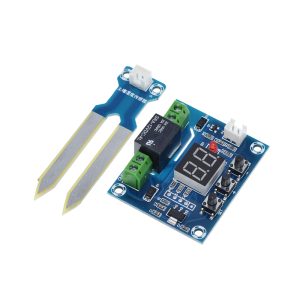
Product Overview
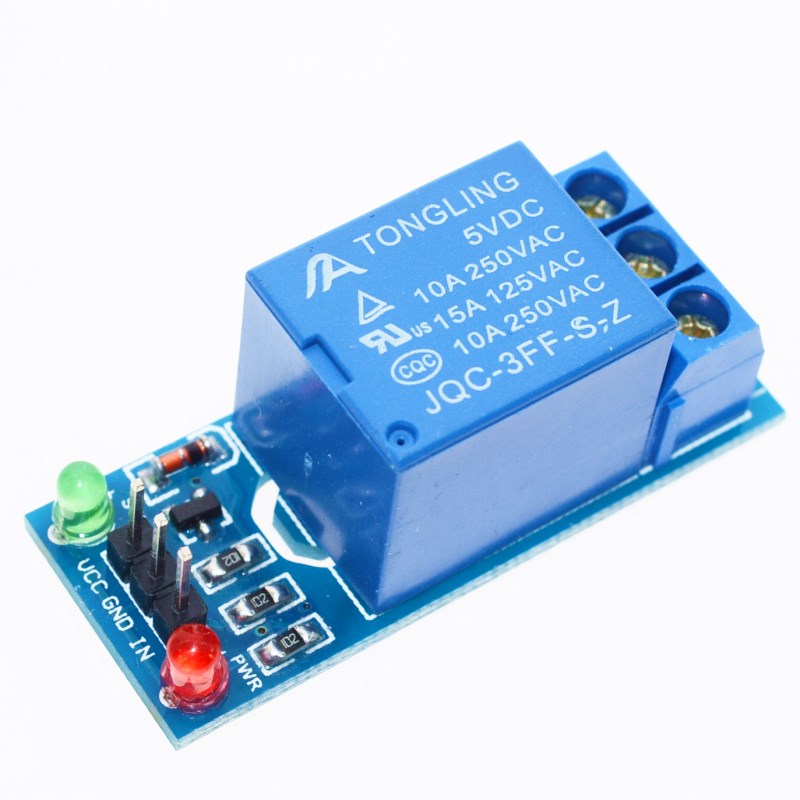
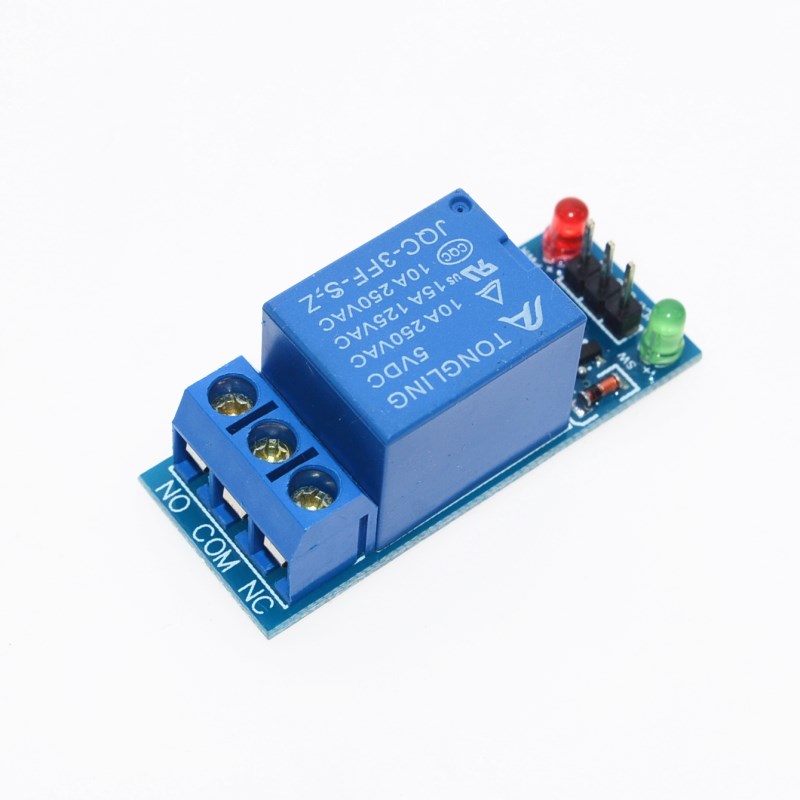
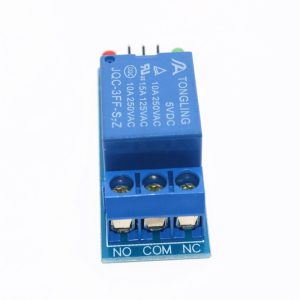
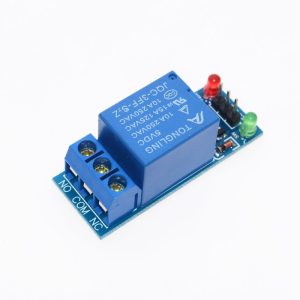
The 5V 1-Way Electromagnetic Relay Module is a simple, cost-effective switching solution designed to control high-power AC or DC loads directly from a 5V logic system. Unlike more complex relay modules that incorporate optocoupler isolation, this module uses a direct transistor driver circuit (typically an NPN transistor such as 2N2222, BC547, or S8050) to activate the relay coil . This design offers a lower cost and simpler circuit, making it ideal for hobbyist projects, educational use, and applications where isolation is not critical.
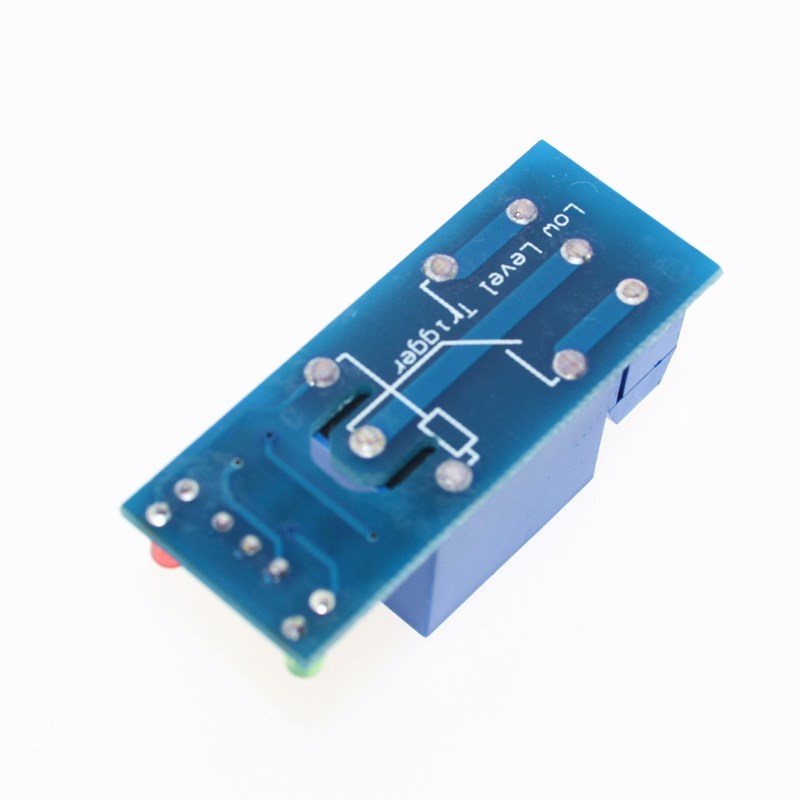
Designed with a low-level trigger, the relay activates when the control pin is pulled LOW (0V) and deactivates when pulled HIGH (5V) . This active-LOW behavior provides a degree of safety—the relay remains off during power-up or if the control signal is lost, preventing accidental activation of connected devices.
With relay contacts rated for 10A at 250V AC or 10A at 30V DC, this module can control lights, fans, motors, pumps, solenoids, and other household or industrial appliances . An onboard status LED provides visual confirmation when the relay is activated, simplifying operation monitoring and troubleshooting.
Important Note: This module does not include optocoupler isolation. The control circuit and the high-voltage load share a common ground path . Exercise caution when wiring high-voltage loads and ensure proper insulation and clearance for safety .
Key Features
-
Low-Level Trigger (Active LOW): Relay activates when the IN pin is pulled LOW (0V) and deactivates when HIGH (5V). This ensures the relay remains off during power-up .
-
Direct Transistor Drive: Uses a simple NPN transistor (such as 2N2222, BC547, or S8050) to drive the relay coil, eliminating the need for optocoupler components .
-
5V Logic Compatibility: Designed for 5V microcontrollers like Arduino, STM32, and 5V logic systems, with a control signal range of 0V–5V .
-
10A High Switching Capacity: SPDT relay contacts rated for 10A at 250V AC or 10A at 30V DC, suitable for controlling lights, fans, motors, pumps, and industrial equipment .
-
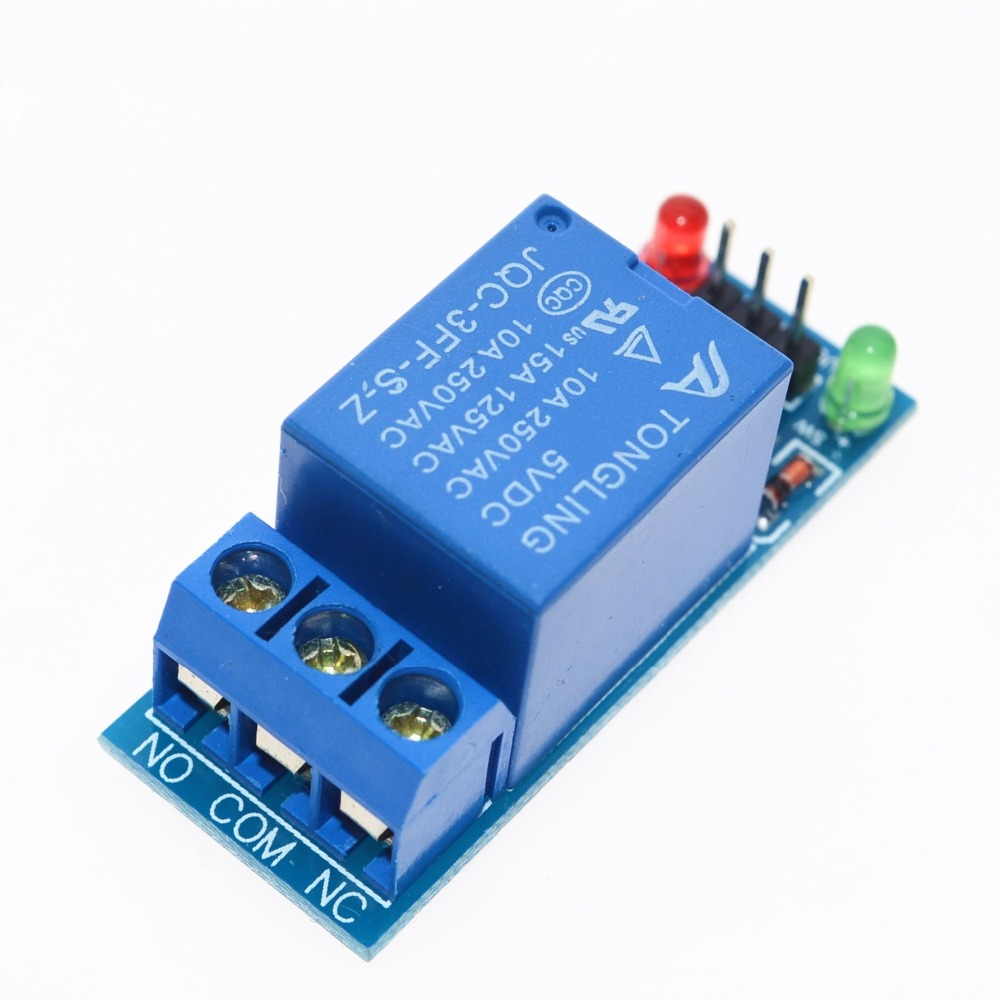
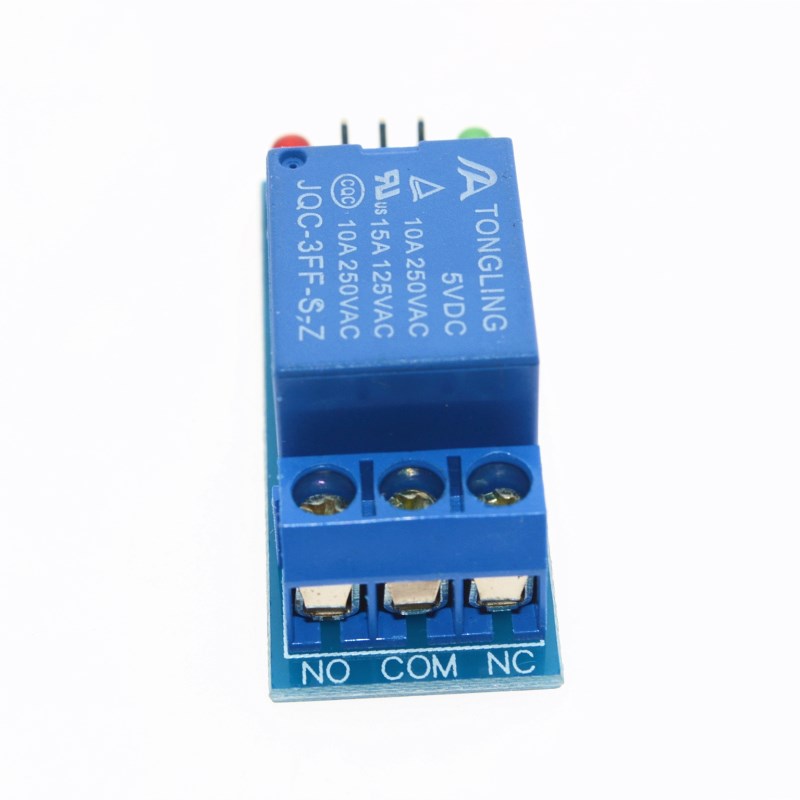
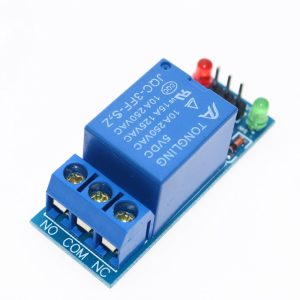
SPDT Contact Configuration: Provides Common (COM), Normally Open (NO), and Normally Closed (NC) terminals for maximum wiring flexibility—use NO for OFF-by-default operation or NC for ON-by-default operation .
-
Status Indicator LED: Onboard LED illuminates when the relay is activated (IN pin LOW), providing clear visual feedback .
-
Compact and Lightweight: Small PCB footprint with mounting holes for easy integration into breadboards, enclosures, or control panels .
-
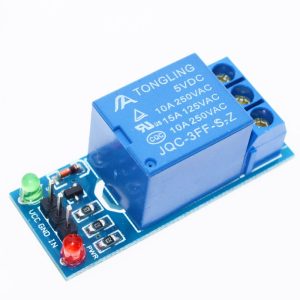
Simple 3-Pin Control Interface: Standard 2.54mm pitch header (VCC, GND, IN) allows direct connection to microcontrollers, sensors, or manual switches .
Technical Specifications
Pinout & Interface Guide
Input Side (Control Interface)
Output Side (Load Terminals)
Status LEDs
Usage Guide
Wiring Instructions
IMPORTANT: Always disconnect mains power before wiring high-voltage loads.
Basic Connection (Control Side)
Load Connection (AC Example)
-
Connect the Live (L) wire from your AC source to the COM terminal
-
Connect the load (lamp, fan, motor) to the NO terminal for OFF-by-default operation
-
Connect the load’s Neutral (N) wire directly to the AC source neutral
Load Connection (DC Example)
-
Connect the positive (+) supply to the COM terminal
-
Connect the load’s positive wire to the NO terminal
-
Connect the load’s negative wire directly to the power supply ground
Control Logic
Since this module is low-level triggered, the relay behavior is as follows:
Example Arduino Code
const int relayPin = 7;
void setup() {
pinMode(relayPin, OUTPUT);
digitalWrite(relayPin, HIGH);
}
void loop() {
digitalWrite(relayPin, LOW);
delay(5000);
digitalWrite(relayPin, HIGH);
delay(5000);
}
Example ESP32 / ESP8266 Code
ESP32/ESP8266 operate at 3.3V logic, which is also compatible with this 5V module. The HIGH signal (3.3V) is sufficient to deactivate the relay.
from machine import Pin
import time
relay = Pin(7, Pin.OUT)
relay.value(1)
while True:
relay.value(0)
time.sleep(5)
relay.value(1)
time.sleep(5)
Important Considerations
-
Power Supply: The module requires a stable 5V DC supply capable of providing at least 100mA. The relay coil draws approximately 70-80mA when active. The Arduino’s 5V pin can typically supply this current for a single relay module .
-
No Optocoupler Isolation: This module does not provide electrical isolation between the control circuit and the high-voltage load. The control and load circuits share a common ground path. For applications requiring isolation, consider an optocoupler-isolated relay module .
-
Inductive Loads: For motors, pumps, or solenoids, add a flyback diode across the load to protect the relay contacts from voltage spikes . The module typically includes a flyback diode across the relay coil itself, but an external diode across the load is recommended for inductive loads .
-
Default State: The low-level trigger design means the relay stays OFF when the IN pin is HIGH or unconfigured, preventing unwanted activation during power-up .
Q: What is the difference between this module and an optocoupler-isolated relay module?
This module uses a direct transistor driver to activate the relay coil, without optocoupler isolation. Optocoupler-isolated modules have an optical barrier between the control circuit and the load, providing electrical isolation. This module is more cost-effective but does not provide isolation between your microcontroller and the high-voltage load .
Q: What is the advantage of low-level trigger?
Low-level trigger means the relay activates when the IN pin is pulled LOW (0V). This is a safety feature—the relay remains off during power-up or if the control signal is lost, preventing accidental activation of connected devices .
Q: Can I use this module with a 3.3V microcontroller like ESP32 or Raspberry Pi Pico?
Yes. The module is designed for 5V logic, but a 3.3V HIGH signal (3.3V) is typically sufficient to deactivate the relay. The LOW signal (0V) works regardless of logic voltage. For reliable operation, ensure the 3.3V HIGH signal is above the transistor’s turn-off threshold (typically around 0.7V–1.5V)
Q: What is the maximum load this relay can handle?
The relay contacts are rated for 10A at 250V AC or 10A at 30V DC . For inductive loads like motors, it is recommended to derate to 5A–7A to account for startup surges.
Q: What is the difference between NO and NC terminals?
-
NO (Normally Open): The circuit is open when the relay is OFF. When the relay activates, it closes. Use NO for devices that should be OFF by default .
-
NC (Normally Closed): The circuit is closed when the relay is OFF. When the relay activates, it opens. Use NC for devices that should be ON by default .
Q: What power supply do I need for this module?
The module requires a stable 5V DC power supply capable of providing at least 100mA. The relay coil draws approximately 70-80mA when active. If powering from an Arduino’s 5V pin, it can typically supply this current for a single relay module .
Q: The relay clicks but my load doesn't turn on. What's wrong?
This indicates the relay is activating but the load circuit is incomplete. Check:
-
The load is correctly wired between COM and NO (or COM and NC)
-
The load’s neutral/ground is connected correctly
-
The load itself is functional
-
The load’s current does not exceed the relay’s 10A rating
Q: The relay clicks when I power on my microcontroller. Why?
During power-up, microcontroller pins may briefly float or be in an undefined state. With a low-level trigger module, this should not activate the relay because the pin needs to be pulled LOW. Adding a 10kΩ pull-up resistor on the IN pin to VCC can ensure the relay remains OFF during startup .
Q: What is the expected lifespan of this relay?
The relay is rated for approximately 100,000 electrical operations at rated load . Actual lifespan depends on switching frequency and load type.
Q: Can I use this relay for 220V AC applications?
Yes. The contacts are rated for 250V AC, which is suitable for 220V/240V systems. Ensure proper insulation and clearance between the control and load sides for safety . Since this module lacks optocoupler isolation, extra caution is required when wiring high-voltage loads .
Q: The relay status LED lights up but the relay doesn't click. What's wrong?
If the LED is on but the relay doesn’t click, check:
-
The VCC power supply is stable at 5V
-
The power supply can provide enough current (at least 100mA)
-
The transistor driver may be faulty
Q: Do I need a flyback diode for inductive loads?
The module typically includes a flyback diode across the relay coil to protect the transistor . However, for high-power inductive loads (motors, solenoids), adding an external flyback diode across the load terminals is recommended to protect the relay contacts .
Q: Can I use multiple relay modules with a single microcontroller?
Yes. Connect each module’s VCC and GND in parallel to the same 5V supply (ensure the supply can handle the total current), and connect each IN pin to a separate digital output pin on your microcontroller.
Q: What can I build with this 5V relay module?
Popular applications include:
-
Arduino projects: Control home appliances, lights, fans
-
Home automation: Appliance switching, lighting control
-
Robotics: Motor control for small robots
-
Security systems: Alarm triggers, access control
-
Automotive: 12V lighting, pump control (with external 12V supply)
Q: Is this module suitable for controlling a pump or motor?
Yes, with derating. For inductive loads like motors, it is recommended to operate at 50–70% of the rated contact current (5A–7A) to account for startup surges. Adding a flyback diode across the load is highly recommended to protect the relay contacts .
Q: Can I use this module without a microcontroller?
Yes. You can trigger the relay by manually connecting the IN pin to GND (to activate) or leaving it disconnected (to deactivate). This can be done with a simple push button or toggle switch connected between IN and GND .
Q: Does this module work with Raspberry Pi?
Yes. Raspberry Pi GPIO pins operate at 3.3V logic, which is compatible with this 5V module. Connect VCC to 5V (from an external supply or the Pi’s 5V pin), GND to GND, and IN to a GPIO pin. Set the pin LOW to activate the relay and HIGH to deactivate .