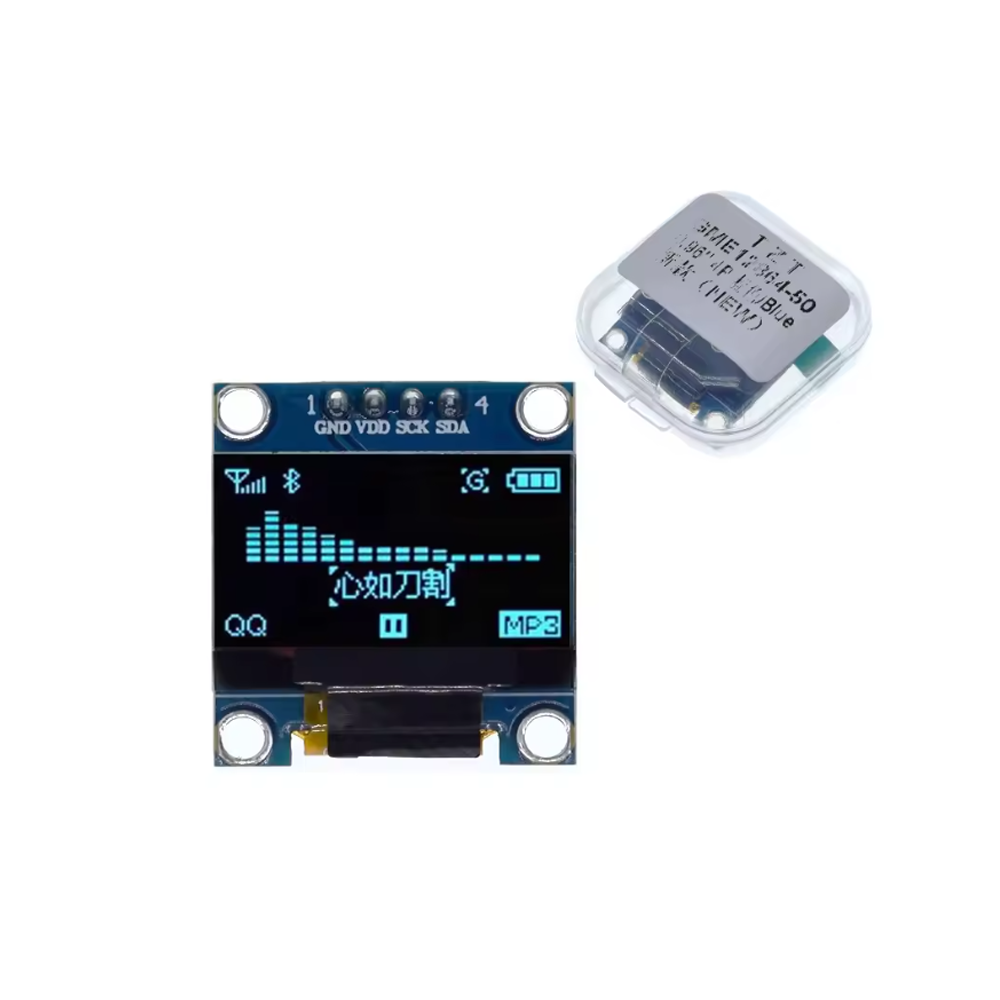
0.96″ Inch Blue I2C IIC OLED LCD Module 4pin SSD1315 Chip 128*64 (GND VDD SCK SDA)

SKU: FA2125-2-0
Display Size

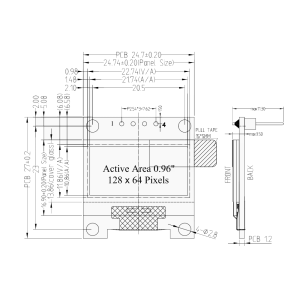
0.96 inch

Resolution

128 × 64 pixels

Driver IC

SSD1315

Display Color

Blue (monochrome)

Interface

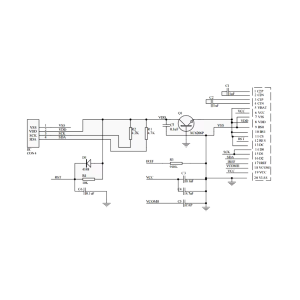
I2C (4-pin: GND, VDD, SCK, SDA)

Operating Voltage

3.3V – 5V

Operating Current

< 20mA typical

Module Dimensions

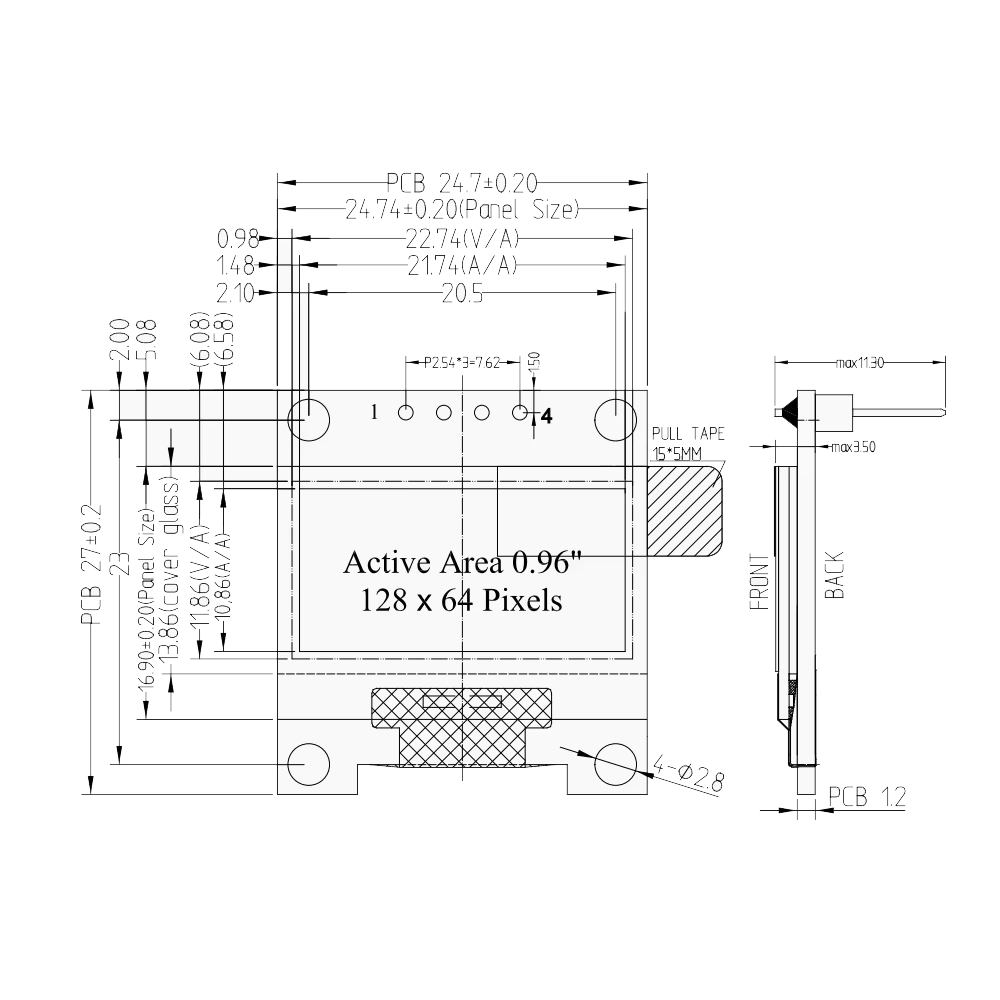
Approx. 27 × 27 mm

The 0.96″ Blue I2C OLED LCD Module is a compact, high-contrast display designed for microcontroller projects, embedded systems, and DIY electronics. It features a 128×64 pixel resolution and uses the SSD1315 driver chip — a modern, widely supported controller that offers excellent compatibility and performance. With its 4-pin I2C interface (GND, VDD, SCK, SDA), the module requires only two data lines to connect to your microcontroller, making it one of the simplest displays to integrate into any project.

At the heart of the module is the SSD1315 controller, which drives the 0.96-inch OLED panel. OLED technology provides self-illuminating pixels — meaning each pixel emits its own light without a backlight — resulting in true blacks, infinite contrast ratio, and wide viewing angles. The blue monochrome display offers crisp, clear visibility, making it ideal for displaying text, numbers, icons, and simple graphics.

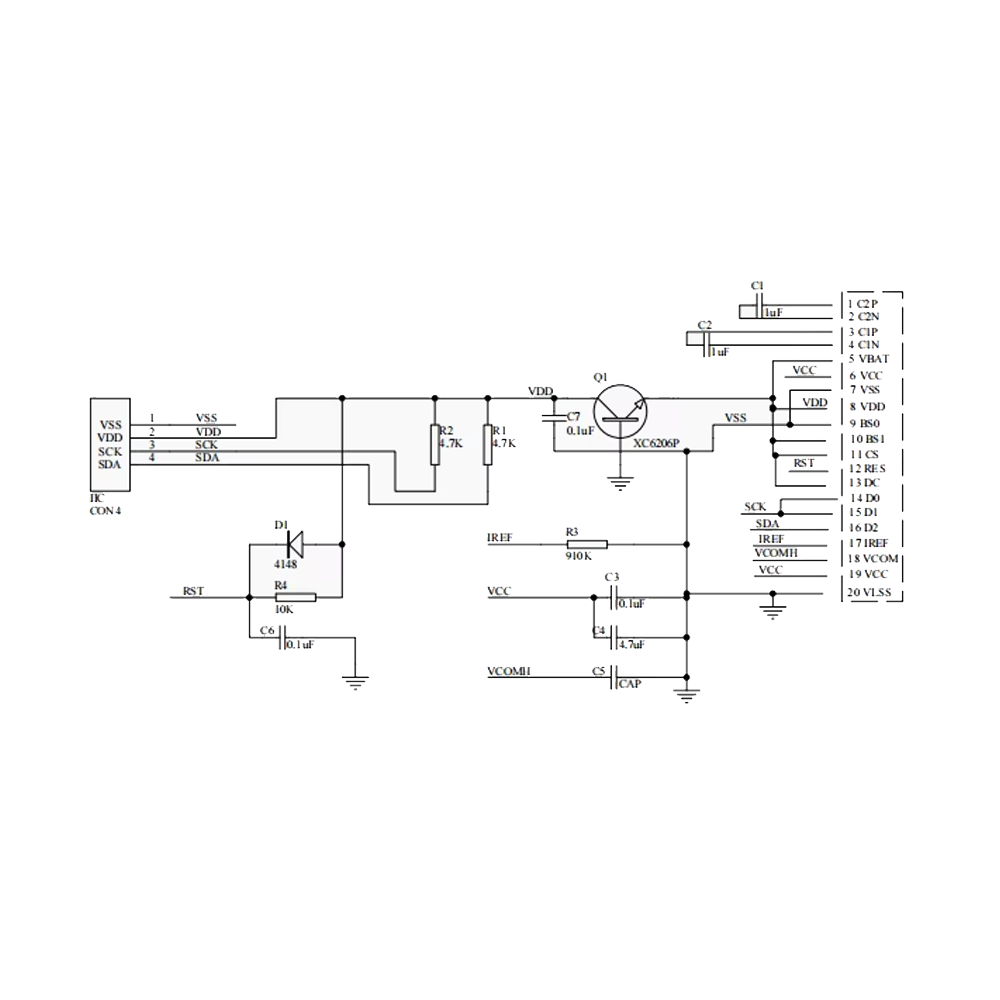
The I2C interface (also written as IIC) uses only two signal wires: SCK (serial clock) and SDA (serial data) , along with power (VDD) and ground (GND). This 4-pin design simplifies wiring and frees up microcontroller pins for other peripherals. The module supports standard I2C addresses (typically 0x3C or 0x3D), and multiple displays can theoretically share the same bus with different addresses.

The module operates from 3.3V to 5V logic levels, making it compatible with Arduino, ESP32, ESP8266, STM32, Raspberry Pi, and other popular platforms. It consumes very little power — typically less than 20mA during operation — making it suitable for battery-powered devices and portable electronics. The compact 27 × 27 mm form factor with mounting holes allows easy integration into custom enclosures and project panels.

Supported development environments include Arduino IDE (with the Adafruit_SSD1306 and U8g2 libraries), ESP-IDF, and MicroPython. The U8g2 library provides extensive font support, graphics primitives, and display control functions, making it easy to create professional-looking user interfaces.

Whether you are building a weather station, a digital clock, a sensor readout, a menu system, or a wearable device, the 0.96″ Blue I2C OLED Module provides a reliable, high-contrast display solution. It is suitable for individual makers, students, and businesses purchasing in bulk for product development or educational programs.


Features

  • 0.96-inch OLED display — 128×64 pixel resolution with blue monochrome output

  • SSD1315 driver chip — Modern, widely supported controller with excellent compatibility

  • 4-pin I2C interface — Only two data lines (SCK, SDA) plus power and ground

  • Self-illuminating OLED technology — True blacks, infinite contrast, wide viewing angles

  • 3.3V to 5V operation — Compatible with Arduino, ESP32, ESP8266, STM32, and Raspberry Pi

  • Low power consumption — Typically less than 20mA during operation

  • Compact form factor — 27 × 27 mm with mounting holes for easy integration

  • Wide library support — Compatible with Adafruit_SSD1306, U8g2, and other popular libraries

  • High contrast — Blue display with crisp, clear visibility

  • Multiple I2C addresses — Typically 0x3C or 0x3D, configurable via solder jumpers


Technical Specifications 

# Parameter Specification
1 Display Size 0.96 inch
2 Resolution 128 × 64 pixels
3 Driver IC SSD1315
4 Display Color Blue (monochrome)
5 Interface I2C (4-pin: GND, VDD, SCK, SDA)
6 Operating Voltage 3.3V – 5V
7 Operating Current < 20mA typical
8 Module Dimensions Approx. 27 × 27 mm

Usage

Getting Started

  1. Connect power — Connect VDD to 3.3V or 5V and GND to ground.

  2. Connect I2C lines — Connect SCK to your microcontroller’s I2C clock (SCL) and SDA to the I2C data line.

    • Arduino Uno: SCL → A5, SDA → A4

    • ESP32: SCL → GPIO22, SDA → GPIO21 (default)

    • ESP8266: SCL → D1, SDA → D2

  3. Install the library — Install the Adafruit_SSD1306 or U8g2 library through the Arduino Library Manager. You will also need the Adafruit_GFX library for graphics primitives.

  4. Find the I2C address — Run an I2C scanner sketch to confirm the display’s address (typically 0x3C).

  5. Upload a test sketch — Use a basic example to display text or graphics. The Adafruit_SSD1306 library includes a ssd1306_128x64_i2c example for testing.

Pin Connections

Module Pin Function Arduino Uno ESP32 ESP8266
GND Ground GND GND GND
VDD Power 5V or 3.3V 3.3V 3.3V
SCK I2C Clock A5 (SCL) GPIO22 D1
SDA I2C Data A4 (SDA) GPIO21 D2

Typical Applications

  • Weather stations — Display temperature, humidity, and pressure readings

  • Digital clocks — Show time, date, and day of week

  • Sensor readouts — Visualize data from various sensors

  • Menu systems — Navigate settings and options on embedded devices

  • Wearable devices — Compact display for portable electronics

  • Instrument panels — Status displays for equipment and systems

Notes for Business Buyers

  • Low cost — Affordable display solution for volume production and educational kits.

  • Simple integration — 4-pin I2C interface reduces wiring complexity and microcontroller pin usage.

  • Wide compatibility — Works with all major microcontroller platforms.

  • Suitable for bulk purchasing — Ideal for product development, educational programs, and commercial deployments.

Q: What is the 0.96" I2C OLED Module used for?

It is a compact display module for microcontroller projects, used for showing text, numbers, icons, and simple graphics in embedded systems, wearables, and DIY electronics.

Q: What is the resolution of this display?

The display has a 128×64 pixel resolution.

Q: What driver chip does this module use?

It uses the SSD1315 driver chip, which is compatible with the SSD1306 in most libraries.

Q: How many pins does the module require?

It uses a 4-pin I2C interface: GND, VDD, SCK (SCL), and SDA.

Q: What is the I2C address of this display?

The default I2C address is typically 0x3C. Some modules may use 0x3D, which can be configured via a solder jumper on the back of the board.

Q: What voltage does the module require?

It operates from 3.3V to 5V, making it compatible with most microcontrollers.

Q: What library should I use?

Use the Adafruit_SSD1306 library with Adafruit_GFX, or the U8g2 library. Both are available through the Arduino Library Manager.

Q: Can I use this display with an ESP32?

Yes. Connect SCL to GPIO22 and SDA to GPIO21 (default I2C pins), and use the same libraries.

Q: How do I know if the display is working?

After connecting power and I2C lines, run an I2C scanner to verify the address. Then upload a test sketch to display text or graphics.

Q: Can I purchase in bulk for a school or company?

Yes. This display module is suitable for both individual users and business purchasing, including classroom kits, product development, and commercial deployments.