Product Overview
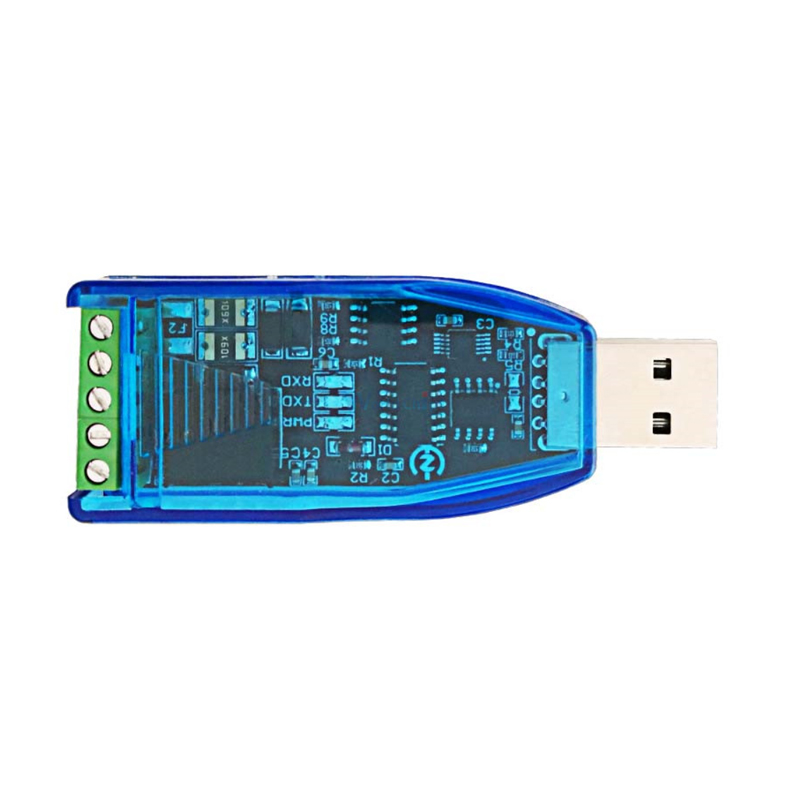
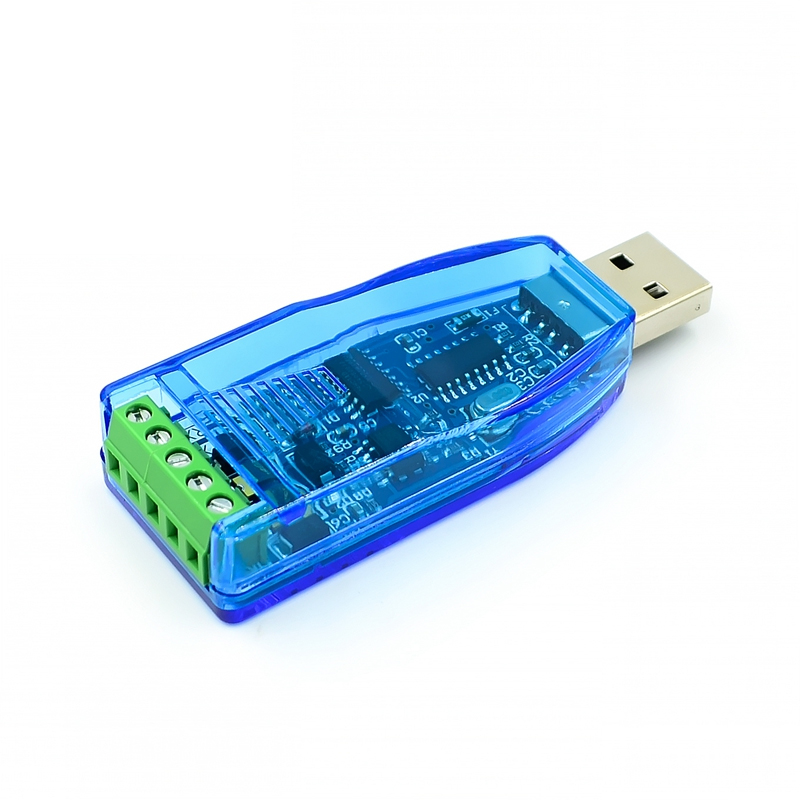
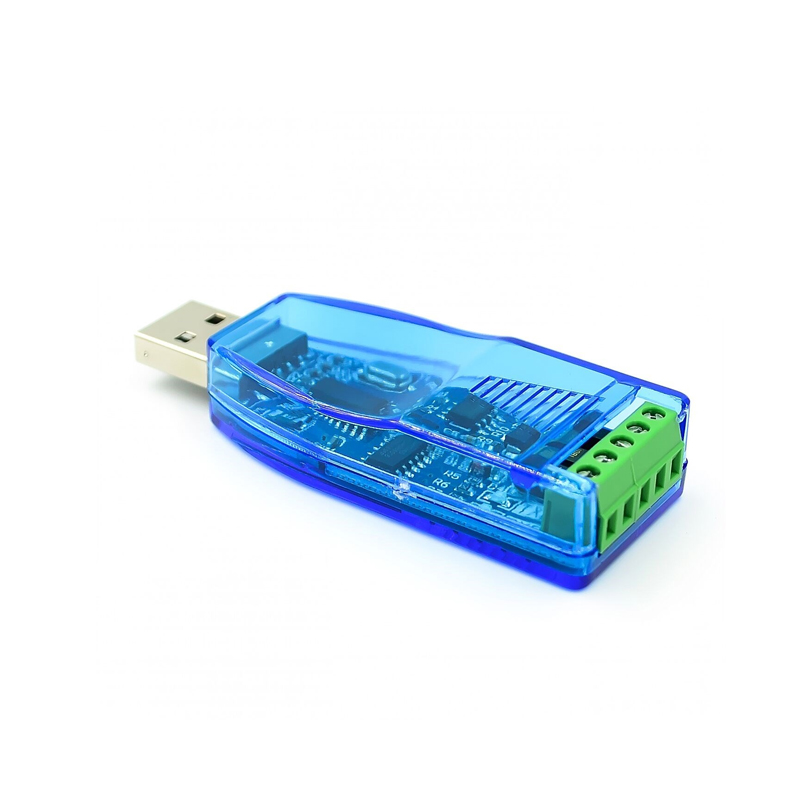
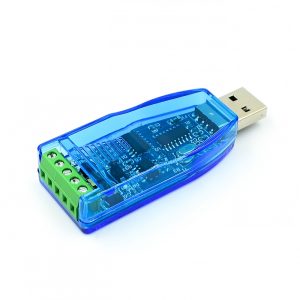
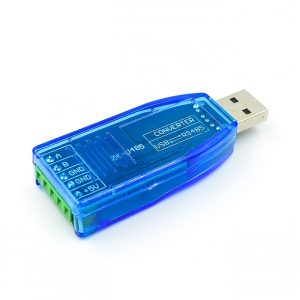
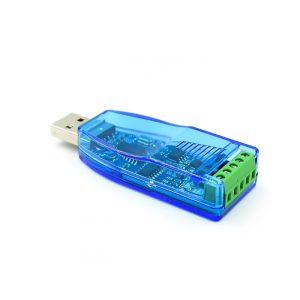
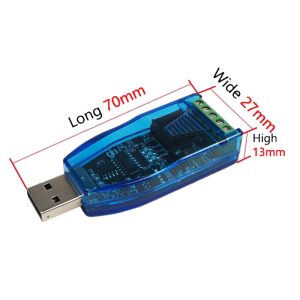
The USB to RS485 Converter Isolate Module is an industrial-grade communication interface designed to connect modern computers with RS485 industrial networks. Built around the original CH340E chip from WCH (Nanjing Qinheng) , this converter provides a stable, reliable solution for interfacing with RS485 devices such as PLCs, Modbus meters, industrial sensors, and automation equipment.
RS485 is the backbone of industrial communication, allowing long-distance transmission and supporting multi-drop networks with up to 32 devices on a single bus. This adapter features complete electrical isolation between the USB and RS485 sides, providing superior noise immunity and protection against ground loops in industrial environments.
The CH340E chip is a full-speed USB device interface with an integrated clock, eliminating the need for an external crystal oscillator. It supports communication baud rates from 50bps up to 2Mbps and is fully compatible with USB 1.1, 2.0, and 3.0 ports.
Key Features
-
Original CH340E Chipset: Genuine WCH CH340E with integrated clock – no external crystal needed, ensuring stable performance
-
Full Electrical Isolation: Power and signal completely isolated between USB and RS485 sides – superior anti-interference capability
-
Comprehensive Industrial Protection:
-
TVS (Transient Voltage Suppression) protection
-
ESD (Electrostatic Discharge) protection
-
Surge protection
-
AB signal line short-circuit protection (short-circuit does not burn the device)
-
Power line short-circuit protection
-
Automatic Data Direction Control: Hardware automatically manages RS485 half-duplex direction switching – no RTS/DTR handshake signals or jumper settings required
-
Long Transmission Distance: Up to 1200 meters (at 9600 baud rate) using twisted-pair cable
-
High-Speed Support: Maximum baud rate up to 256,000 bps, with even higher rates achievable in point-to-point configurations
-
Wide System Compatibility: Supports Windows (98/CE/2000/XP/Vista/7/8/10/11), Linux, macOS, and Android – plug-and-play with hot-swap support
-
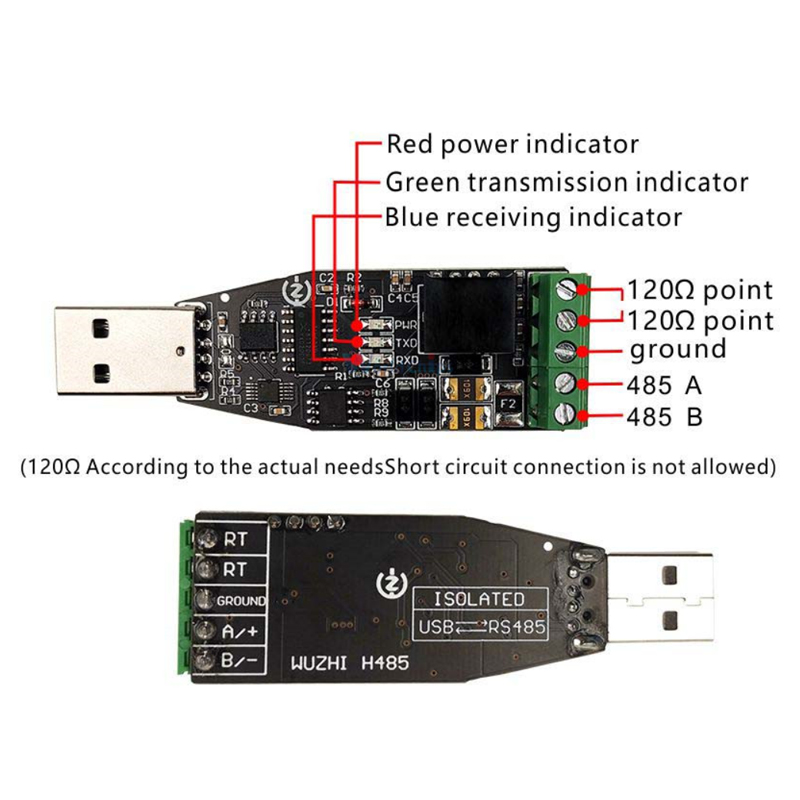
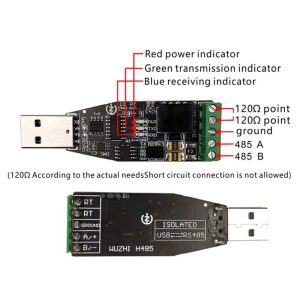
Status Indicator LEDs: Power (PWR), Transmit (TXD), and Receive (RXD) LEDs provide real-time visual feedback of communication status
-
Pure Hardware Device: No protocol restrictions – works with any RS485 communication protocol
Technical Specifications
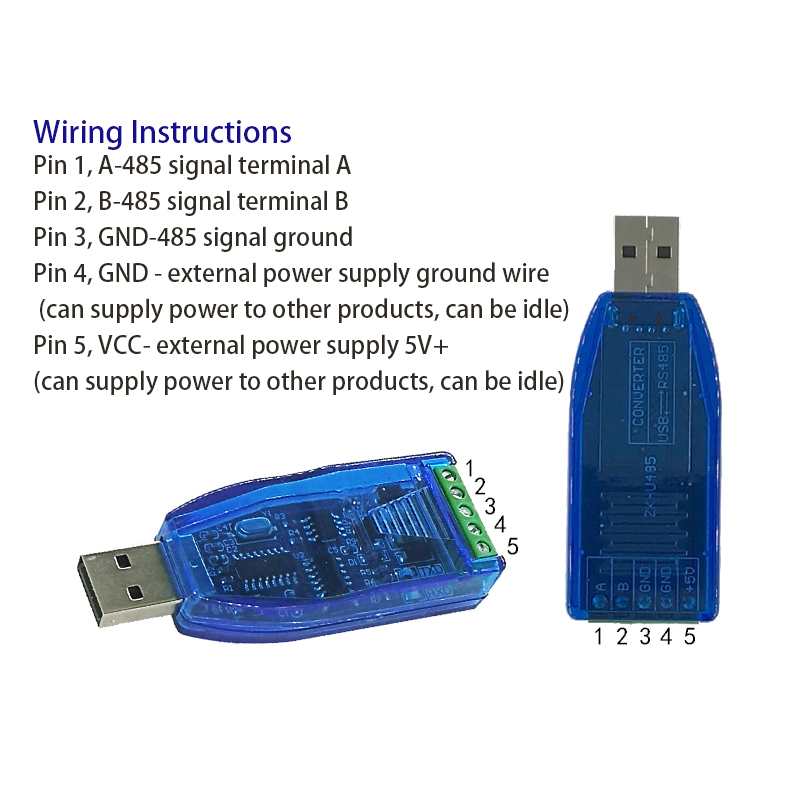
Pinout & Connection Guide
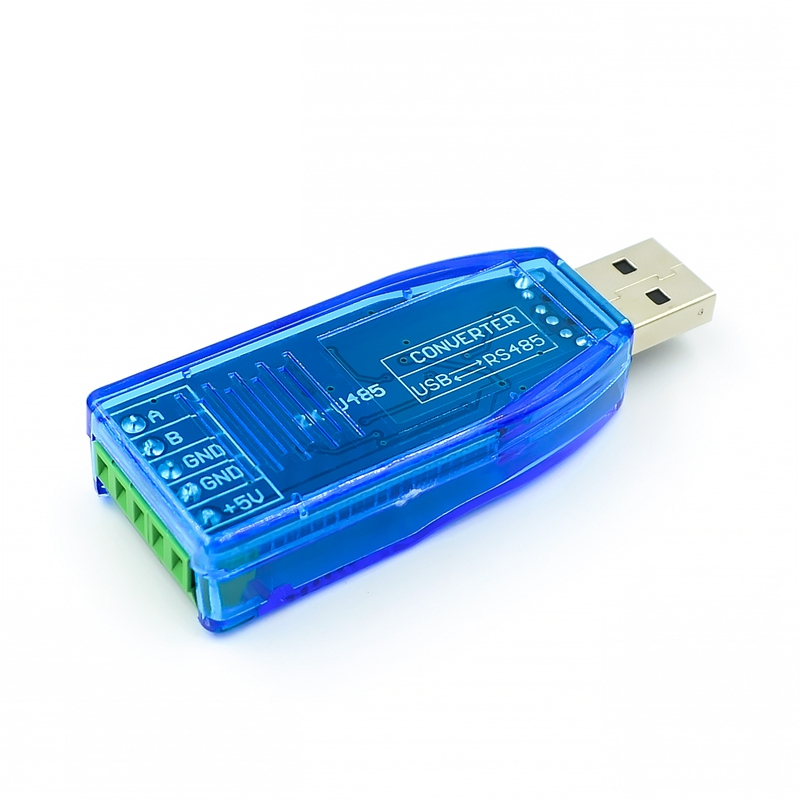
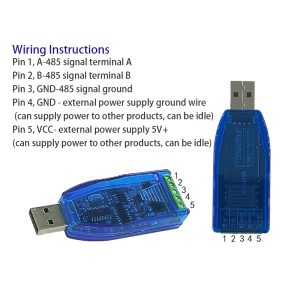
RS485 Terminal Block
Wiring Rules for RS485 Networks
-
Connection: Connect A to A and B to B across all devices on the bus (straight-through connection).
-
Grounding: For distances over 100 meters or in electrically noisy environments, connect the GND terminals of all devices to establish a common reference voltage.
-
Termination: To prevent signal reflections, place a 120Ω resistor between the A and B terminals at the t̲w̲o̲ farthest ends of the cable.
-
Cable Type: Use twisted-pair shielded cable (CAT5e or dedicated RS485 cable) for best noise immunity.
Wiring Example
To a single RS485 device:
Converter Terminal          Device Terminal
       A         ───────────      A / D+
       B         ───────────      B / D-
       GND       ───────────      GND (if available)
Multi-drop network (daisy-chain):
-
Connect A to A across all devices
-
Connect B to B across all devices
-
Connect GND in a star or daisy-chain configuration
-
Place 120Ω termination resistors at the physical ends of the cable only
Driver Installation
Windows 10/11
Most modern Windows versions will automatically detect and install drivers for the CH340 chip when the device is connected. If automatic installation fails:
-
Download the latest CH340 driver from the WCH (Nanjing Qinheng) website
-
Run the installer as Administrator
-
Follow the on-screen instructions
Windows 7/8/XP
Manual driver installation is required:
-
Download the CH340 driver package from the manufacturer’s website
-
Disconnect the converter from USB
-
Run the installer
-
Connect the converter – drivers will install automatically
Linux
Most mainstream Linux distributions (Ubuntu 18.04+) have built-in CH340 drivers:
macOS
macOS 10.14+ has good CH340 driver support:
Usage Guide
Verification After Installation
After driver installation, verify the converter is working:
-
Windows: Open Device Manager → Ports (COM & LPT). You should see a new “USB Serial Port” with a COM port number assigned.
-
Linux/macOS: Open a terminal and type ls /dev/ttyUSB* or ls /dev/tty.wchusbserial*.
Changing COM Port Number (Windows)
If the assigned COM port number conflicts with your software:
-
Open Device Manager → Ports (COM & LPT)
-
Right-click the “USB Serial Port” → Properties
-
Port Settings → Advanced
-
Select a new COM port number from the dropdown list
-
Restart your computer for the change to take effect
Testing the Converter
Perform a simple loopback test to verify the converter is working:
-
Connect the A terminal to the B terminal using a short jumper wire
-
Open a serial terminal program (e.g., Putty, RealTerm, Arduino Serial Monitor)
-
Select the converter’s COM port, set baud rate to 9600, 8 data bits, 1 stop bit, no parity
-
Type characters – they should be echoed back to the screen
Connecting to RS485 Devices
-
Wire the connection: Connect the A and B terminals to your target RS485 device
-
Connect to PC: Plug the USB end of the converter into your computer
-
Note the COM port: Identify the COM port number from Device Manager
-
Configure software: In your serial communication software, select the correct COM port and match the baud rate, data bits, parity, and stop bits of the target device
Q: What are the advantages of the CH340E chip over other USB-to-serial chips?
The CH340E features a built-in clock, eliminating the need for an external crystal oscillator. This provides more stable performance and simplifies the design. It supports baud rates from 50bps to 2Mbps and is fully compatible with USB 1.1/2.0/3.0.
Q: Why is electrical isolation important in an industrial RS485 converter?
Electrical isolation separates the USB ground from the RS485 ground, providing superior anti-interference capability and protecting your computer from voltage spikes, ground loops, and surges that commonly occur in industrial environments.
Q: What protection features does this module offer?
The module includes comprehensive protection:
-
TVS transient suppression protection
-
ESD (electrostatic discharge) protection
-
Surge protection
-
AB signal line short-circuit protection (short-circuit will not burn the device)
-
Power line short-circuit protection
Q: Does this converter require RTS/DTR handshake signals?
No. The module features automatic data direction control – the hardware automatically manages RS485 half-duplex direction switching without requiring any RTS, DTR, or other handshake signals.
Q: What is the maximum transmission distance?
Up to 1200 meters (approximately 4000 feet) at 9600 baud rate when using twisted-pair cable.
Q: What baud rates are supported?
The CH340E chip supports from 50 bps up to 2 Mbps. Practically, the module supports up to 256,000 bps, with even higher rates achievable in point-to-point configurations.
Q: Is this converter compatible with Windows 11?
Yes. The module supports Windows 11 through Windows 98/CE/2000/XP/Vista/7/8/10/11, as well as Linux, macOS, and Android.
Q: Can multiple RS485 devices be connected to one converter?
Yes. RS485 supports up to 32 devices in a multi-drop network (daisy-chain configuration). Connect all A terminals together and all B terminals together.
Q: Do I need termination resistors?
Only if the converter is placed at the physical end of the RS485 cable. For long cables (>100 meters), you should place a 120Ω resistor between A and B at the two farthest ends of the cable.