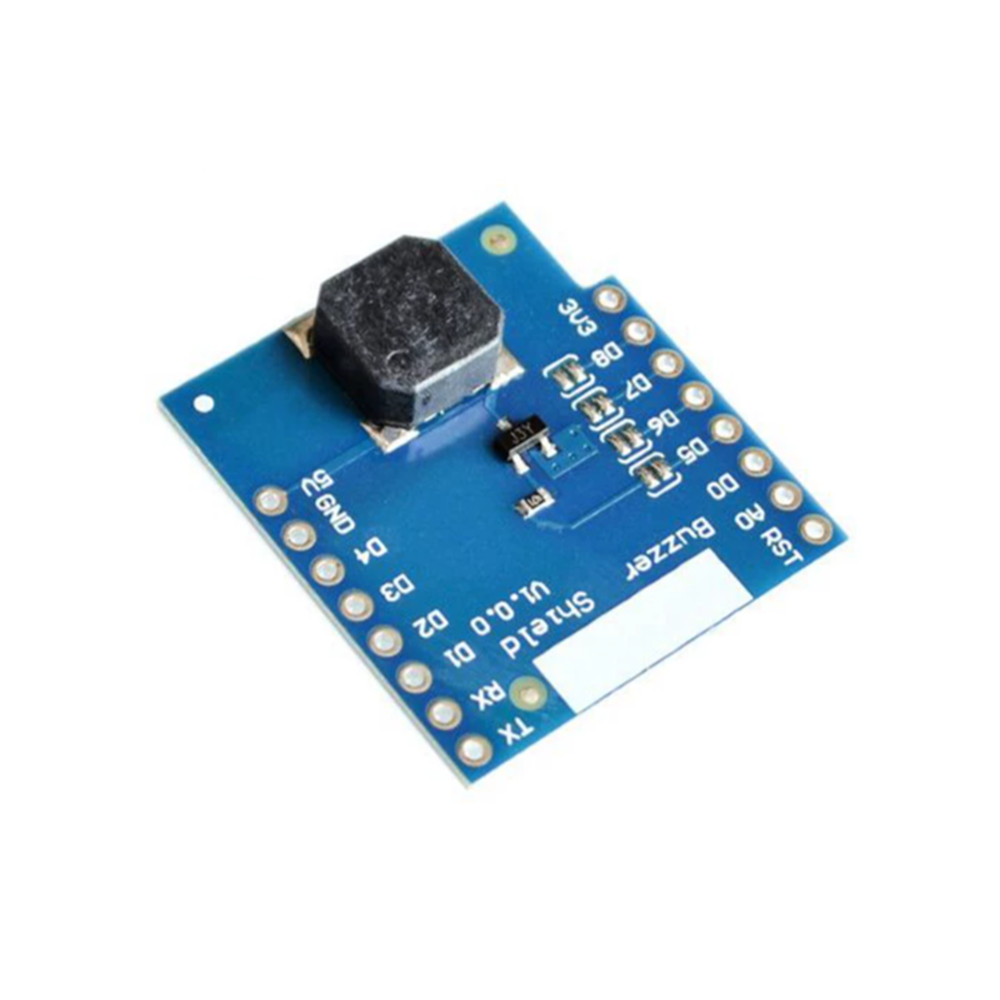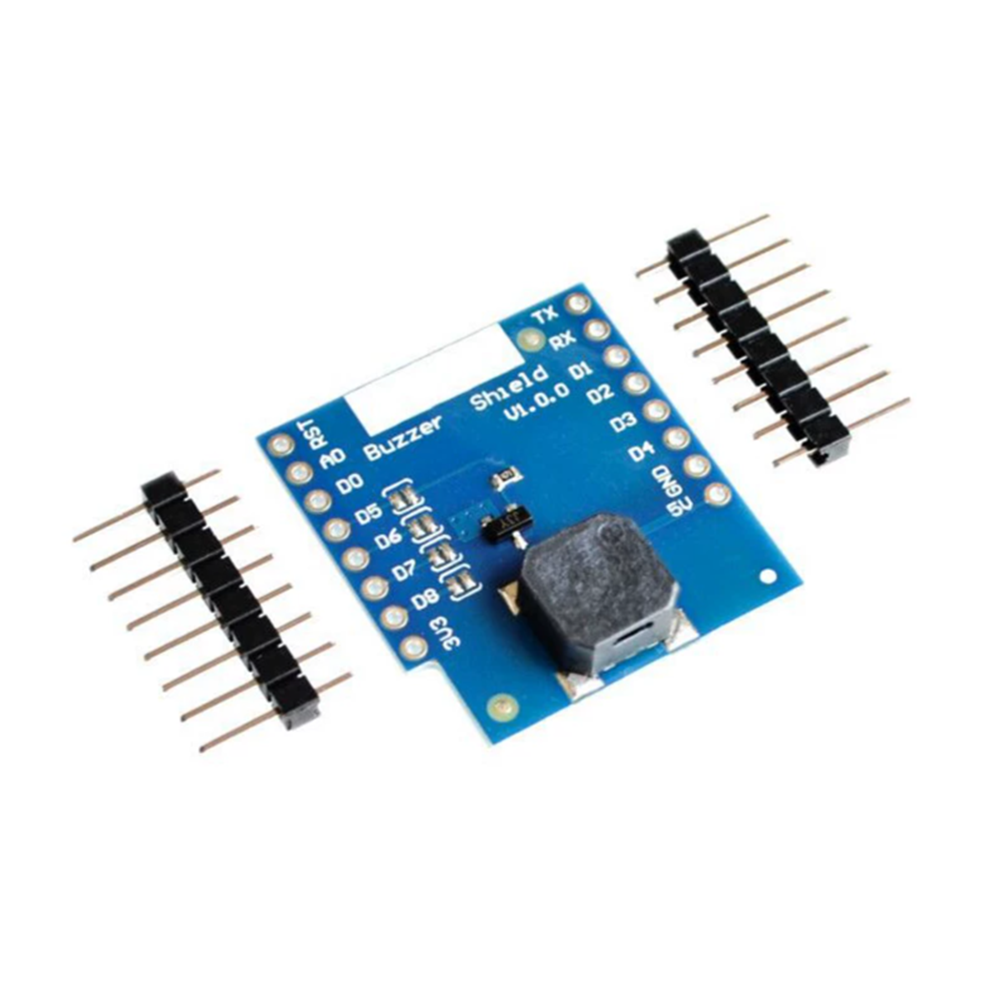
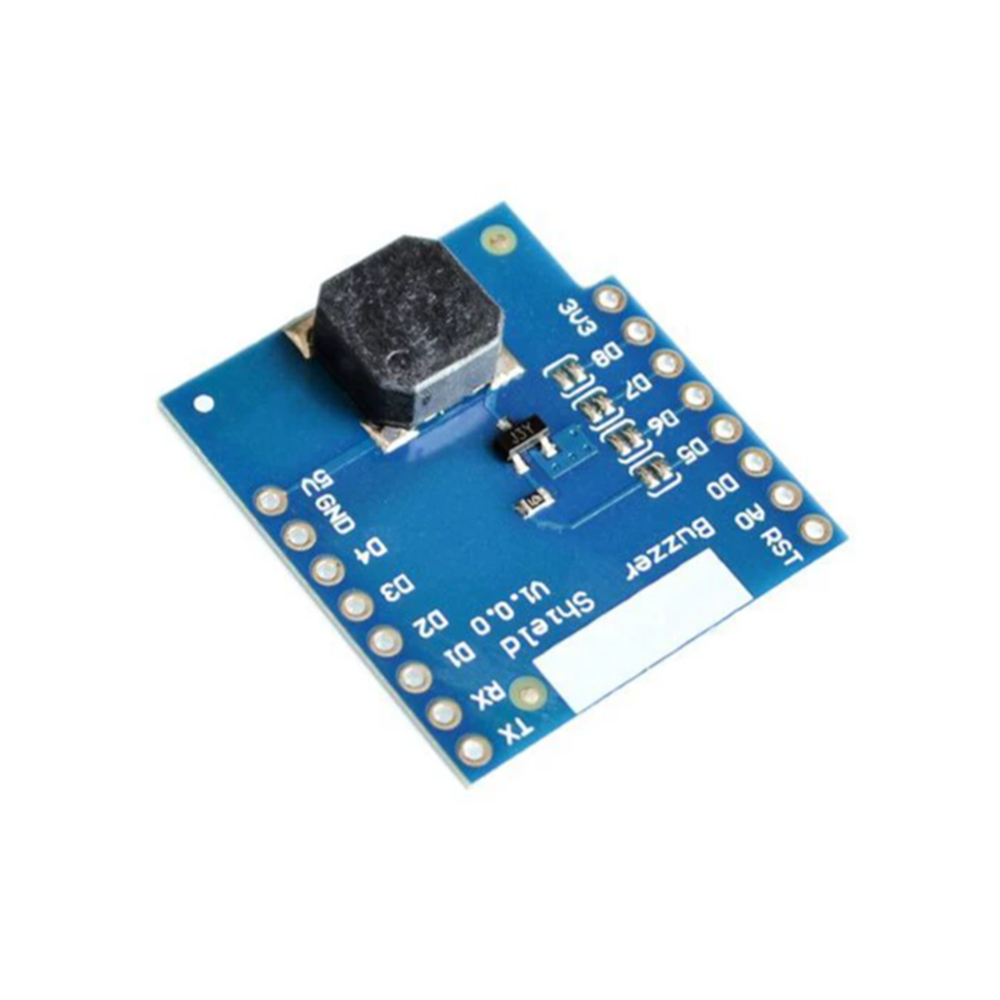
Buzzer Shield V1.0.0 for WEMOS D1 mini

SKU: FA3049-3
Compatible Board

WEMOS D1 mini (ESP8266)

Buzzer Type

Passive piezoelectric buzzer

Frequency Range

Approximately 1kHz – 3kHz

Default Control Pin

D5 (GPIO14)

Selectable Pins

D5, D6, D7, D8

Control Method

PWM signal (Arduino tone() / MicroPython PWM)

Supply Voltage

5V (from D1 mini)

Package Contents

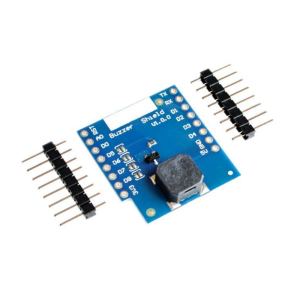
1× Buzzer Shield V1.0.0, 2× pin headers

The Buzzer Shield V1.0.0 is a compact, stackable expansion board designed specifically for the WEMOS D1 mini (and compatible ESP8266 boards). It adds a passive piezoelectric buzzer to your D1 mini project, enabling audible alerts, notifications, and simple tone generation without any external wiring or breadboard setup. Simply plug the shield onto the D1 mini’s headers, and you have a ready-to-use sound output solution.

At the heart of the shield is a piezoelectric buzzer with a frequency response range of approximately 1kHz to 3kHz, the optimal range for clear, audible alert tones . Unlike active buzzers that produce a fixed tone, this is a passive buzzer — it requires a PWM (Pulse Width Modulation) signal from the D1 mini’s GPIO pin to generate sound. This gives you full software control over the frequency, allowing you to produce different tones, beeps, and simple melodies .

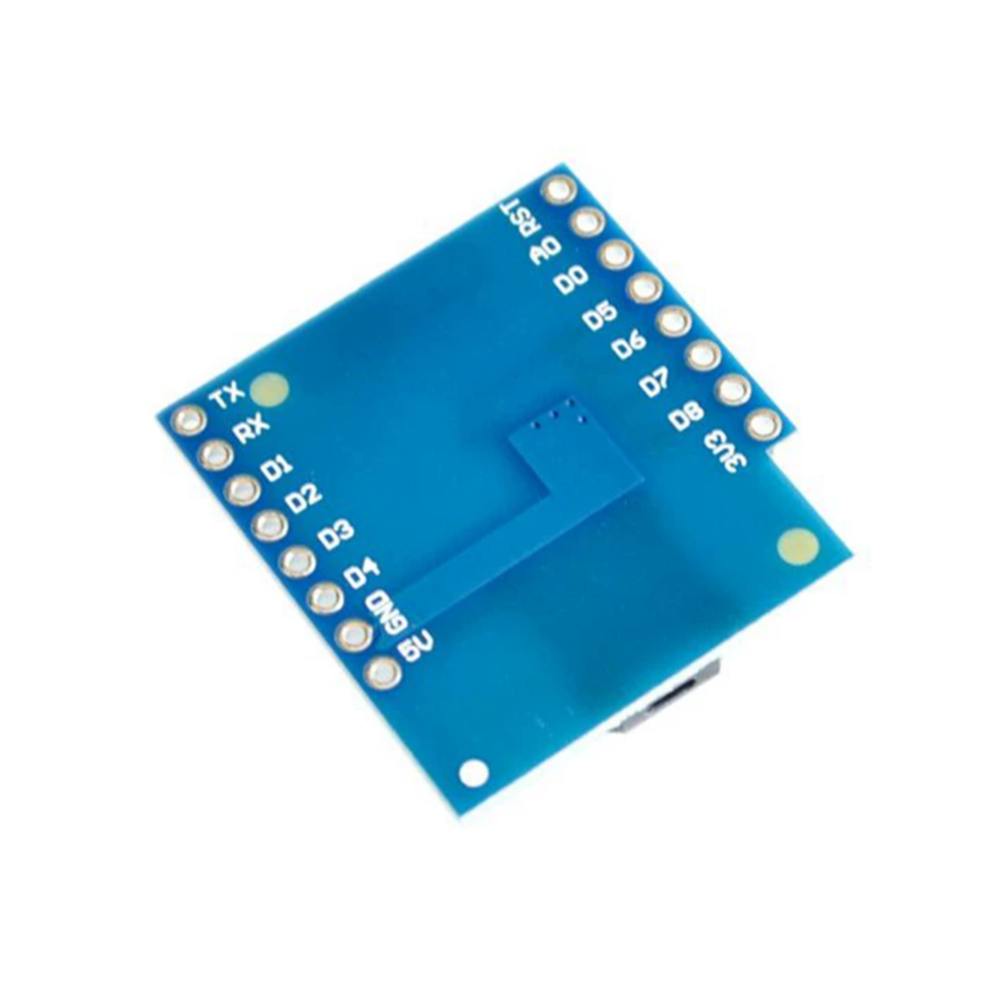
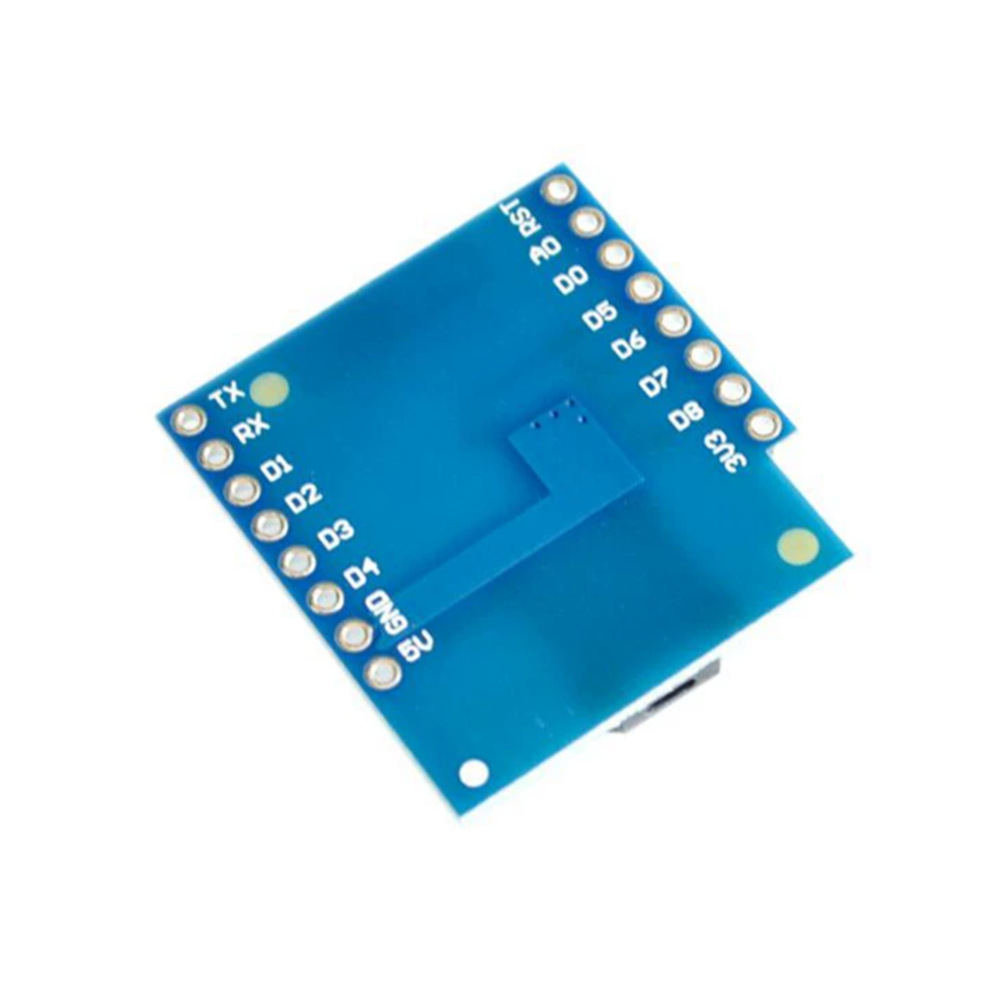
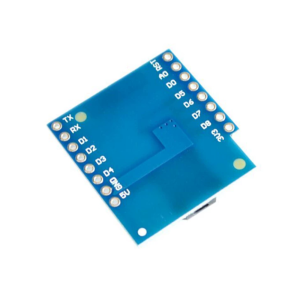
The shield features four selectable control pins (D5, D6, D7, and D8), with D5 (GPIO14) as the default . This flexibility allows you to avoid conflicts with other shields or peripherals that may be using specific GPIO pins. Important: The shield does not come with the control pin pre-connected — you must solder a jumper bridge on the back of the shield to select which pin (D5–D8) you want to use. If no bridge is soldered, the buzzer will not receive a signal and will remain silent .

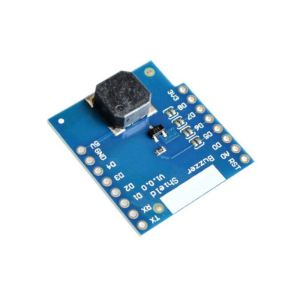
The shield is designed in the standard D1 mini form factor, stacking directly on top of the D1 mini board. It includes two pin headers for installation . The buzzer component is positioned over the USB port area, ensuring a compact and stable assembly . The shield operates from the D1 mini’s 5V supply rail .

The Buzzer Shield is widely used in alarm and notification projects, IoT devices requiring audible feedback, educational STEM projects, home automation alerts, and interactive sound projects. It is an ideal accessory for makers and students working with the WEMOS D1 mini platform who need a simple, integrated sound solution.

Important Note: This is a passive buzzer shield — it will not produce sound when simply powered on. You must provide a PWM signal from the D1 mini’s GPIO pin (D5–D8, as selected by the solder bridge). Use the Arduino tone() function or PWM output to generate sound. The shield is not waterproof and should be kept dry. Do not connect or disconnect the shield while the D1 mini is powered — unplug the USB cable first to avoid damaging the shield or the board .

Features

  • Dedicated D1 mini shield — Stacks directly onto WEMOS D1 mini headers for a compact, integrated solution

  • Passive piezoelectric buzzer — PWM-driven tone generation for flexible sound control

  • 1kHz–3kHz frequency range — Optimal range for clear, audible alert tones

  • Four selectable control pins — D5, D6, D7, D8 (default: D5/GPIO14) via solder bridge selection

  • Solder bridge configuration — Must be bridged to enable the buzzer and select the control pin

  • Standard D1 mini form factor — Includes two pin headers for installation

  • 5V operation — Powered directly from the D1 mini’s supply rail

  • Stackable design — Can be combined with other D1 mini shields (subject to pin conflicts)

  • Wide application range — Alarms, IoT feedback, STEM projects, home automation, sound effects

  • Ready-to-use — Plug onto D1 mini, solder bridge, and program with Arduino or MicroPython

Technical Specifications 

# Parameter Specification
1 Compatible Board WEMOS D1 mini (ESP8266)
2 Buzzer Type Passive piezoelectric buzzer
3 Frequency Range Approximately 1kHz – 3kHz
4 Default Control Pin D5 (GPIO14)
5 Selectable Pins D5, D6, D7, D8
6 Control Method PWM signal (Arduino tone() / MicroPython PWM)
7 Supply Voltage 5V (from D1 mini)
8 Package Contents 1× Buzzer Shield V1.0.0, 2× pin headers

Usage

Getting Started

  1. Solder the control pin bridge — On the back of the shield, locate the solder bridges for D5, D6, D7, and D8. Solder a bridge across the pin you want to use (D5 is default). Without a bridge, the buzzer will not work .

  2. Attach headers to the D1 mini — Solder the included pin headers to the D1 mini if not already installed.

  3. Mount the shield — With the D1 mini unpowered, align the shield’s headers with the D1 mini sockets and press firmly to seat. The buzzer component should sit over the USB port area .

  4. Connect power — Plug in the D1 mini via USB. The shield is now powered.

  5. Upload a test sketch — Use the Arduino tone() function to generate a frequency. Example: tone(D5, 1000) produces a 1kHz tone .

  6. Stop the tone — Use noTone(D5) to stop the sound. The buzzer will continue indefinitely if not stopped .

Pin Configuration (Solder Bridge)

Solder Bridge Control Pin GPIO
D5 (default) D5 GPIO14
D6 D6 GPIO12
D7 D7 GPIO13
D8 D8 GPIO15

Example Arduino Code

cpp
#define BUZZER_PIN D5  // Change to D6/D7/D8 if bridged differently

void setup() {
  pinMode(BUZZER_PIN, OUTPUT);
}

void loop() {
  tone(BUZZER_PIN, 1000);  // 1kHz tone
  delay(500);
  noTone(BUZZER_PIN);
  delay(500);
}

Typical Applications

  • Alarm systems — Audible alerts for IoT sensors and security devices

  • IoT notification devices — Sound feedback for WiFi-connected projects

  • STEM education — Teaching PWM, frequency, and sound generation with the D1 mini

  • Home automation — Doorbell chimes, appliance alerts, reminder tones

  • Interactive projects — Sound effects for games and sensor-triggered events

  • Wearable/portable projects — Compact sound output for D1 mini-based wearables

Notes for Business Buyers

  • D1 mini accessory — Specifically designed for the WEMOS D1 mini ecosystem

  • Solder bridge required — The control pin must be bridged before use; this is a one-time hardware configuration

  • Passive buzzer — Requires PWM signal; not a plug-and-play active buzzer

  • Suitable for bulk purchasing — Ideal for educational institutions, IoT product developers, and maker kit suppliers

Q: What is the Buzzer Shield V1.0.0 used for?

It is an expansion shield for the WEMOS D1 mini that adds a passive piezoelectric buzzer for audible alerts, notifications, and tone generation in IoT and electronics projects.

Q: Does the buzzer work immediately when the shield is plugged in?

No. The shield requires a solder bridge to be connected to one of the control pins (D5–D8) before the buzzer will receive a signal. Without the bridge, it remains silent .

Q: Which pin is used by default?

D5 (GPIO14) is the default control pin, but you must solder the corresponding bridge on the back of the shield to activate it .

Q: What frequency range does the buzzer support?

The buzzer’s optimal frequency response is approximately 1kHz to 3kHz .

Q: Is this an active or passive buzzer?

It is a passive buzzer. It requires a PWM signal from the D1 mini to produce sound. It will not produce a tone from DC voltage alone .

Q: How do I generate sound with this shield?

Use the Arduino tone() function or PWM output. Example: tone(D5, 1000) produces a 1kHz tone. Use noTone(D5) to stop it .

Q: Can I use this shield with MicroPython?

Yes. Use the machine.PWM class to control the buzzer pin. Set the frequency and duty cycle to generate sound .

Q: Can I stack this shield with other D1 mini shields?

Yes, it is stackable. However, you must ensure the selected control pin (D5–D8) does not conflict with other shields. Use a different pin if needed.

Q: What is included in the package?

The package includes 1× Buzzer Shield V1.0.0 and 2× pin headers for installation .

Q: Can I purchase in bulk for a product development project?

Yes. This shield is suitable for bulk purchasing by educational institutions, IoT product developers, and maker kit suppliers.