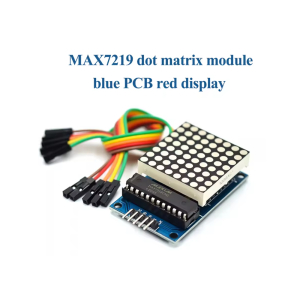
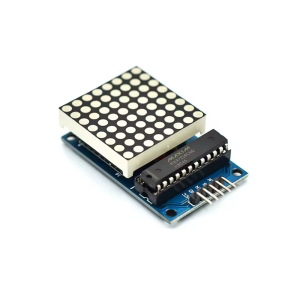
DIY 8×8 Dot Matrix Display Module with MAX7219 Driver

SKU: FA2092-1-0
Display Type

8×8 LED dot matrix

Driver IC

MAX7219

LED Count

64 (red)

Interface

3-wire SPI (DIN, CLK, CS)

Operating Voltage

5V DC

Brightness Control

16 levels

Cascading

Supported via DOUT pin

Display Area

Approx. 32 × 32 mm

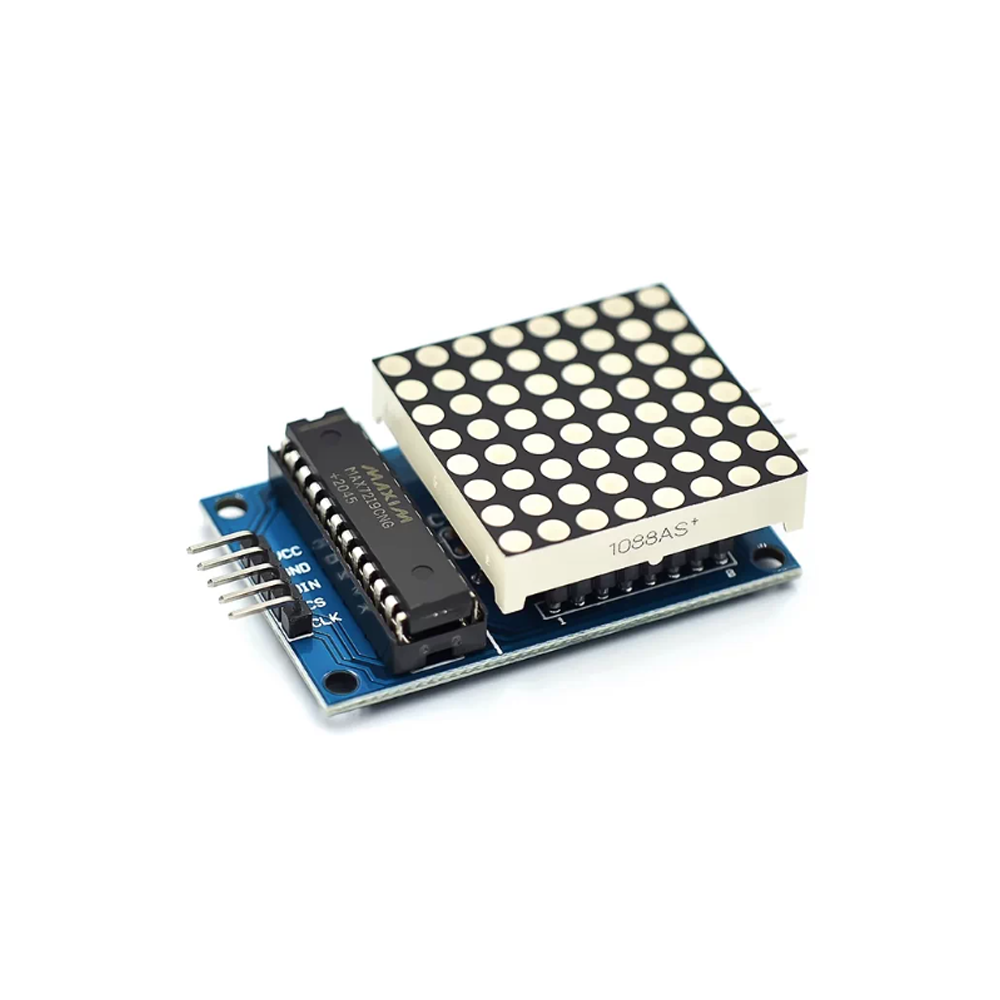
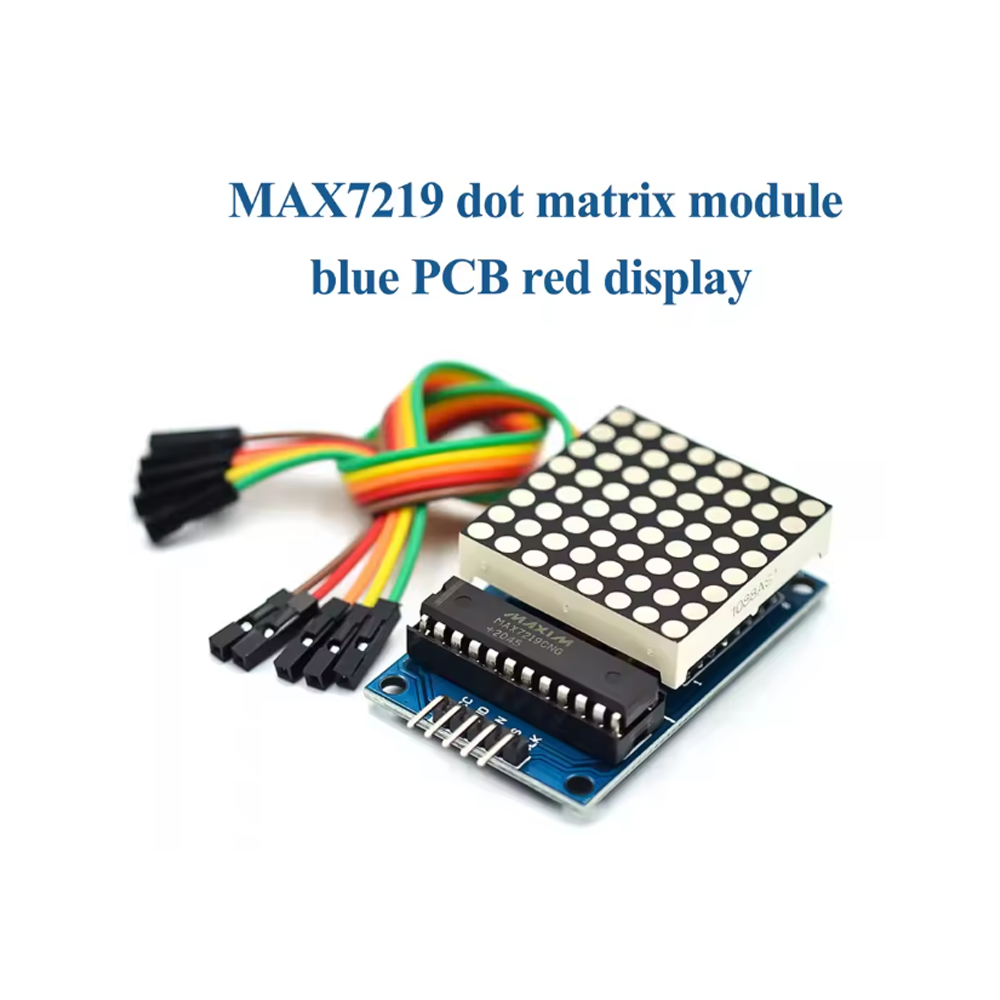
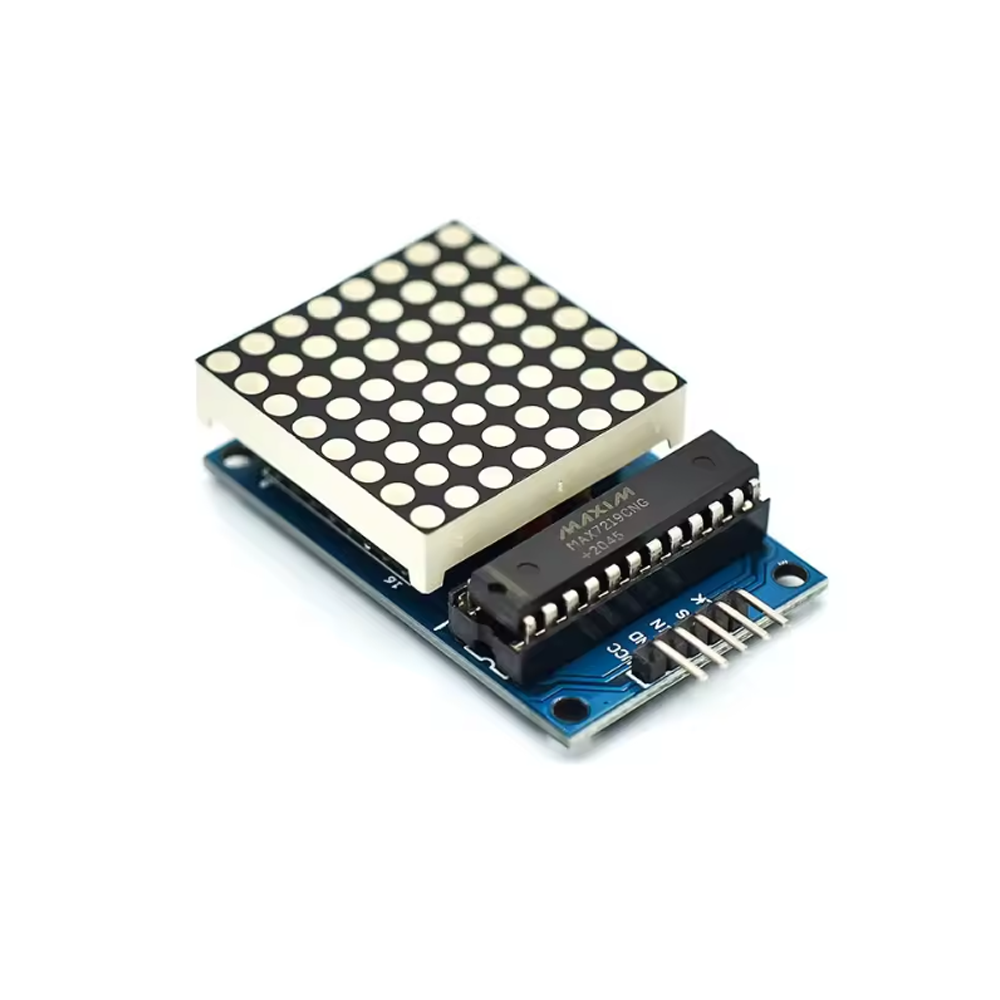
The DIY 8×8 Dot Matrix Display Module with MAX7219 Driver is a compact, easy-to-use LED matrix display designed for Arduino projects, microcontroller applications, and DIY electronics. It combines a 64-LED 8×8 matrix with the MAX7219 driver IC, providing a complete display solution that requires only three control pins — no complex wiring or multiplexing circuitry is needed.

At the heart of the module is the MAX7219 serial input/output common-cathode display driver, which handles all the multiplexing, digit driving, and brightness control internally. This means your microcontroller only needs to send simple serial commands to display patterns, text, and animations. The MAX7219 communicates via a 3-wire SPI-compatible interface (DIN, CLK, CS), making it compatible with virtually any microcontroller including Arduino, ESP32, STM32, and Raspberry Pi.

The 8×8 LED matrix consists of 64 individual red LEDs arranged in a square grid. Each LED can be independently controlled, allowing you to display letters, numbers, symbols, and custom patterns. The module includes onboard brightness control with 16 adjustable levels, so you can set the display intensity to suit different lighting conditions.

One of the most powerful features of this module is its cascadable design. Multiple modules can be connected in series using the DOUT pin, which passes data from one module to the next. This allows you to create larger displays — for example, four modules in a row create a 32×8 display capable of scrolling text messages. The 5V operating voltage and standard pinout make it easy to daisy-chain modules without additional hardware.

The module is fully assembled and ready to use, with onboard header pins for easy connection to breadboards and jumper wires. The compact form factor (approximately 32 × 32 mm for the display area) and mounting holes make it suitable for embedding into custom enclosures and projects.

Whether you are building a scrolling message board, a digital clock, a game console, or a visual indicator system, the MAX7219 8×8 Dot Matrix Display Module provides a reliable, well-documented foundation. It is suitable for individual makers, students, and businesses purchasing in bulk for product development or educational programs.


Features

  • MAX7219 driver IC — Handles all multiplexing and display control internally

  • 8×8 LED matrix — 64 individually controllable red LEDs

  • 3-wire SPI interface — Simple connection to any microcontroller

  • Cascadable design — Connect multiple modules for larger displays

  • 16-level brightness control — Adjustable display intensity

  • 5V operating voltage — Compatible with Arduino and common microcontrollers

  • Fully assembled — Ready to use with onboard header pins

  • Compact form factor — Suitable for embedding into projects

  • Wide library support — Compatible with LedControl, MD_MAX72xx, and other Arduino libraries

  • Mounting holes — Easy installation in enclosures and panels


Technical Specifications 

# Parameter Specification
1 Display Type 8×8 LED dot matrix
2 Driver IC MAX7219
3 LED Count 64 (red)
4 Interface 3-wire SPI (DIN, CLK, CS)
5 Operating Voltage 5V DC
6 Brightness Control 16 levels
7 Cascading Supported via DOUT pin
8 Display Area Approx. 32 × 32 mm

Usage

Getting Started

  1. Connect power — Supply 5V DC to the VCC pin and GND to ground.

  2. Connect the SPI interface — Wire the module’s control pins to your microcontroller:

    • DIN → MOSI (or any digital pin)

    • CLK → SCK (or any digital pin)

    • CS → Any digital pin (chip select)

  3. Install the library — Install the LedControl or MD_MAX72xx library through the Arduino Library Manager.

  4. Upload a test sketch — Use a basic example to light individual LEDs or display a pattern.

  5. Cascade modules (optional) — Connect the DOUT pin of the first module to the DIN pin of the next module. Update your code to specify the number of connected modules.

Pin Connections (Arduino Uno Example)

Module Pin Arduino Pin
VCC 5V
GND GND
DIN D11 (MOSI)
CS D10
CLK D13 (SCK)

Typical Applications

  • Scrolling message boards — Display text messages with multiple cascaded modules

  • Digital clocks — Show time and date with custom characters

  • Game displays — Simple games like Snake and Tetris

  • Visual indicators — Status displays for equipment and systems

  • Educational projects — Teaching LED multiplexing, SPI communication, and programming

  • Art installations — Animated patterns and visual effects

Notes for Business Buyers

  • Cascadable design — Easily scale to larger displays by connecting multiple modules.

  • Well-documented — Extensive community libraries and examples available.

  • Cost-effective — Integrated driver reduces component count and assembly complexity.

  • Suitable for bulk purchasing — Ideal for educational kits, product development, and art installations.

Q: What is the MAX7219 8×8 Dot Matrix Display Module used for?

It is an LED matrix display for Arduino and microcontroller projects, used for scrolling text, digital clocks, games, visual indicators, and art installations.

Q: How many LEDs are on the module?

The module has 64 LEDs arranged in an 8×8 grid, all individually controllable.

Q: How do I connect the module to an Arduino?

Connect VCC to 5V, GND to GND, DIN to MOSI (D11 on Uno), CS to D10, and CLK to SCK (D13 on Uno). Only three control pins are needed.

Q: Can I connect multiple modules together?

Yes. The module supports cascading via the DOUT pin. Connect DOUT of one module to DIN of the next to create larger displays.

Q: What library do I use with this module?

Use the LedControl library or the MD_MAX72xx library. Both are available through the Arduino Library Manager and provide comprehensive functions for display control.

Q: How do I adjust the brightness?

The MAX7219 provides 16 levels of brightness control, adjustable through software commands.

Q: What voltage does the module require?

The module operates from 5V DC.

Q: Can I display text with a single module?

A single 8×8 module can display one character at a time. For scrolling text, cascade multiple modules together.

Q: Does the module come assembled?

Yes. The module comes fully assembled with header pins and the MAX7219 driver IC pre-installed.

Q: Can I purchase in bulk for a school or company?

Yes. This module is suitable for both individual users and business purchasing, including classroom kits, product development, and art installations.